
Usefulness of a project management platform for a project manager
Being a project manager is a bit like conducting an orchestra.
Each team member has their own role, pace, and priorities, and it’s the manager’s job to ensure everyone moves in the same direction, without a wrong note. But in a professional world where projects keep multiplying, teams are often spread out, and clients expect fast and accurate results, it’s becoming increasingly difficult to keep track of everything without the right software.
This is where the project management platform comes in. A true ally for the project manager, it makes it possible to plan, coordinate, track, and communicate more efficiently.
A software to centralize information
One of the biggest challenges for a project manager is information scattered everywhere. Between email exchanges, files shared across multiple platforms, instant messages, and meetings, it quickly becomes difficult to know where important data is stored. A project management platform like Acollab solves this issue by centralizing all information in one place.
Every task, every document, every message can be linked to a specific project. This gives the project manager a clear overview and prevents information from getting lost. There’s no need to search through countless folders or follow up with team members to find the latest version of a file.
Everything is accessible and organized. This centralization also ensures project consistency. All team members have access to the same up-to-date information, which significantly reduces errors and misunderstandings.
For a project manager, this visibility is essential. It allows them to track decisions, retrace key steps, and maintain better control over the entire process. It’s a simple yet powerful way to work more efficiently and save time on administrative tasks.

A software for effective planning
Planning lies at the heart of a project manager’s job. Defining objectives, estimating timelines, allocating responsibilities, and anticipating constraints are all crucial steps to ensuring a project’s success. A project management platform greatly simplifies this phase by offering visual planning features.
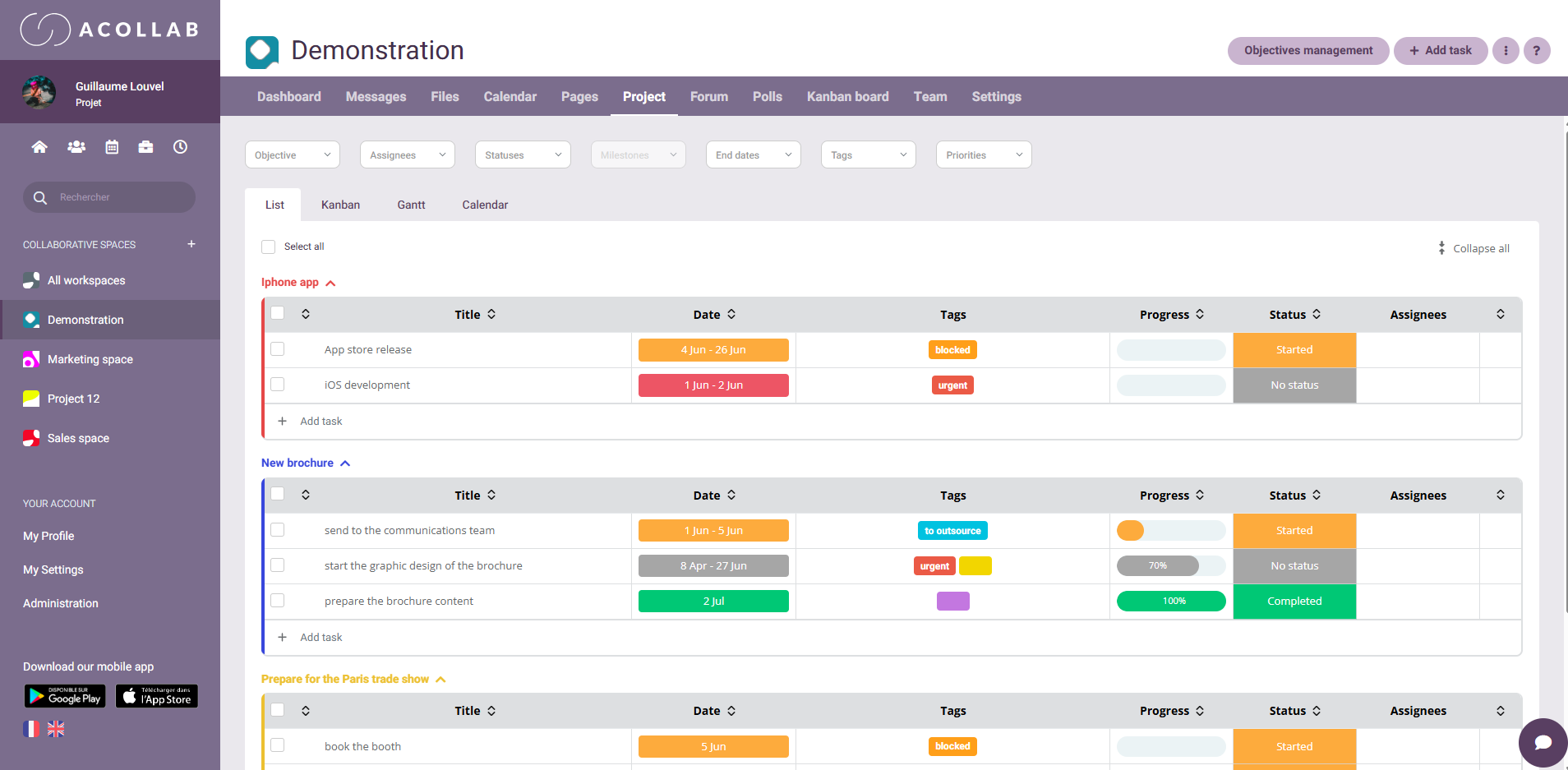
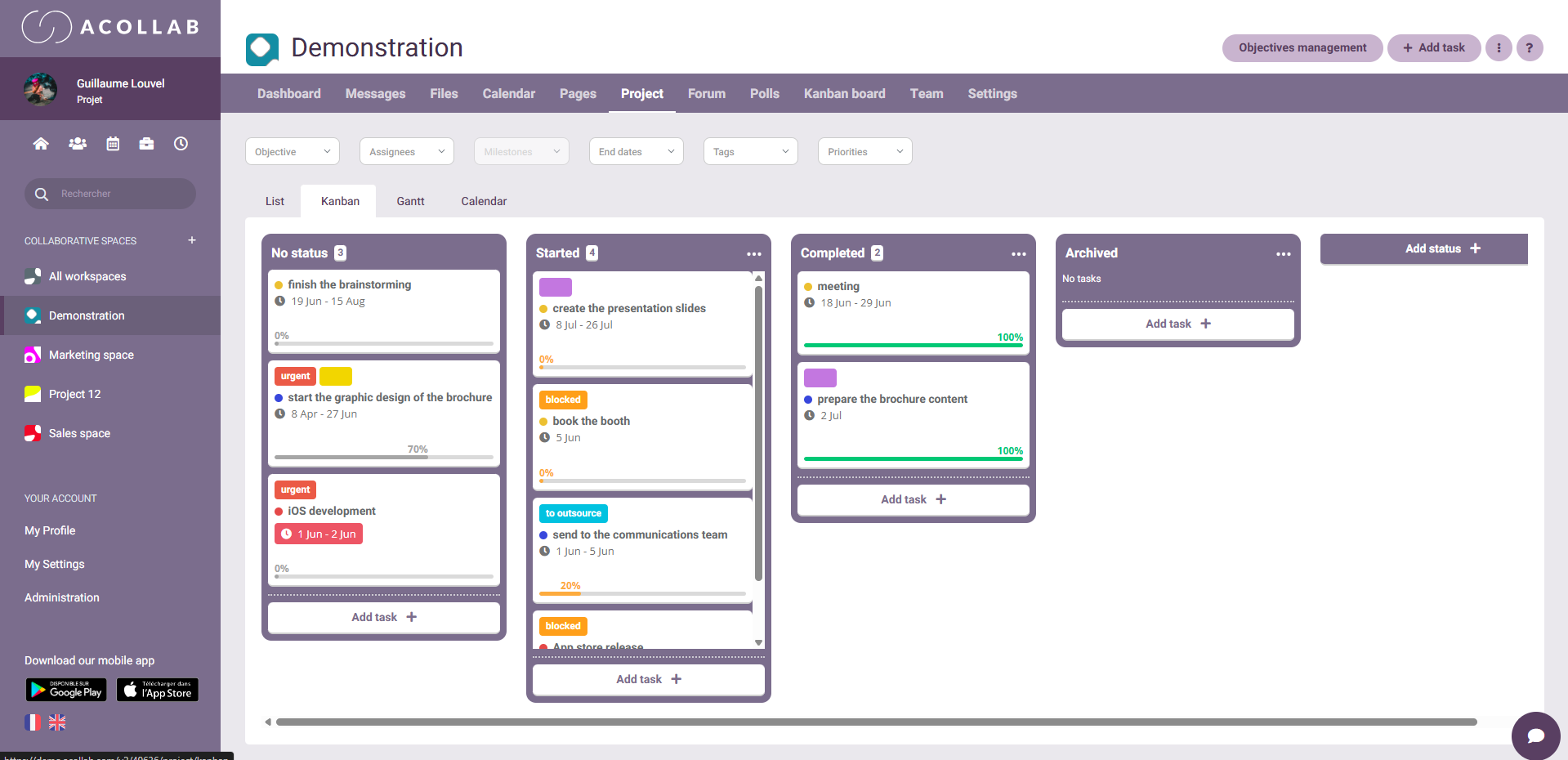
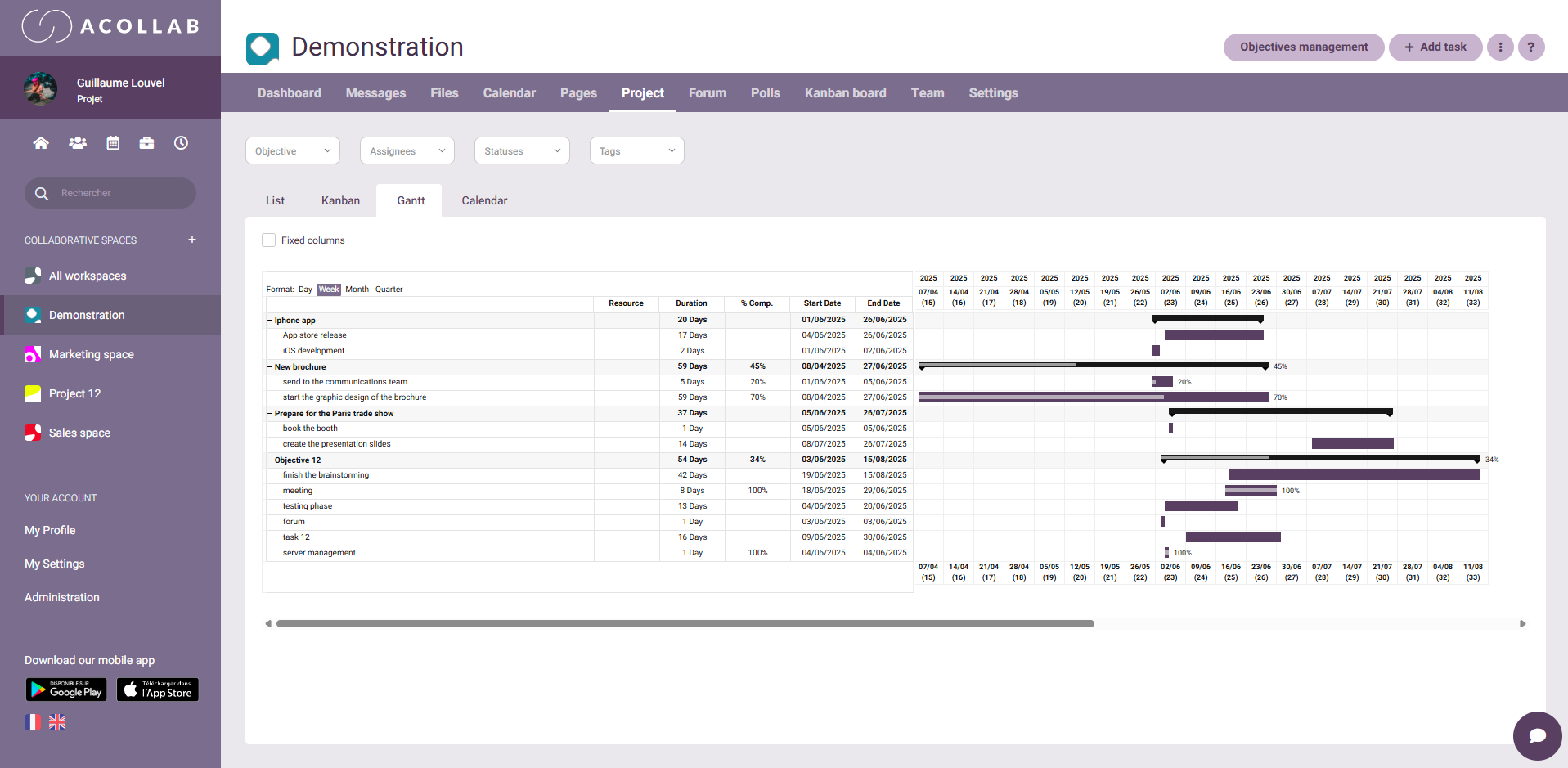
The project manager can create tasks, prioritize them, set deadlines, and assign them to team members. Gantt charts, for example, make it easy to visualize the project timeline and the dependencies between activities. Kanban boards, on the other hand, provide a clear visual overview of tasks and their progress, making it easier for teams to organize and manage their work. If a task is delayed, its impact on the rest of the project becomes immediately visible.
With these softwares, the project manager can also quickly adjust the schedule when unexpected events occur. A deadline change, a new priority, or a resource shift can be incorporated in just a few clicks. This flexibility is invaluable because it helps keep the project on track despite inevitable uncertainties.
A project management software becomes a dynamic planning support system that evolves with the project. It’s no longer a static document but a living tool, updated in real time and accessible to all team members.
A software to track progress in real time
A project manager must always know where the team stands. Without a dedicated software, this often means multiplying meetings and follow-ups to gather information. A project management software allows them to instantly visualize the status of each task and identify potential delays.
If a bottleneck arises, the project manager can quickly intervene to find a solution or reallocate resources. Conversely, if some tasks move faster than expected, they can take advantage of this momentum to accelerate the next steps. This responsiveness boosts productivity and strengthens the project manager’s credibility with clients and team members.
An effective tracking software also reduces stress caused by uncertainty. The project manager no longer needs to guess or wait for updates. They have concrete, real-time data that allows them to act proactively rather than reactively.
A software for better collaboration
Project success depends largely on the quality of collaboration within the team. But in modern organizations, team members don’t always work in the same place or at the same time. A project management platform becomes a virtual gathering point that improves communication and coordination.
Team members can comment directly on tasks, exchange information, and share documents without relying on external channels. This contextual communication, linked to each project item, prevents information loss and misunderstandings.
For the project manager, this transparency is essential. They can follow discussions, understand challenges, and step in when necessary. It also promotes autonomy: everyone knows what to do, what the priorities are, and who to contact if needed.
In a collaborative software like Acollab, communication goes far beyond messaging. File sharing, co-editing, automatic notifications, and integrations with other softwares (such as shared calendars) create a complete work environment. The project manager benefits from a unified platform where everything flows smoothly.
A software to anticipate and manage unforeseen events
No project is free of surprises. Missed deadlines, missing resources, shifting priorities, technical glitches… the project manager must be able to adapt quickly. A project management platform helps address these challenges by providing a clear and updated view of the situation.
When a problem arises, the project manager can immediately see which tasks are affected and which ones depend on them. They can adjust the timeline, redistribute tasks, and minimize impacts. With notifications and a history of changes, they can also trace the origin of an issue and apply lessons learned to future projects.
This ability to anticipate is invaluable in environments where deadlines are tight. Instead of suffering from unexpected events, the project manager can handle them in a structured and documented way.
A software to analyze and improve performance
Another major advantage of project management platforms is their ability to collect and analyze data. This helps the project manager assess team performance and the quality of the process.
With automated reports, they can identify strengths and weaknesses: Which tasks take the longest? Where do bottlenecks frequently occur? Which team members are overloaded? These insights help implement meaningful improvements.
The goal isn’t just to deliver on time but also to optimize the way the team works. With reliable data, the project manager can refine methods, adjust resource allocation, and increase overall productivity.
A software to strengthen transparency and trust
Project management relies on a balance between leadership, team members, and sometimes clients or external partners. Trust is essential, and the transparency offered by a project management platform helps establish it.
Stakeholders can monitor progress, check deliverables, review deadlines, and access key information without relying solely on the project manager. This openness fosters trust and reduces misunderstandings.

A platform to manage multiple projects at once
In many organizations, a project manager doesn’t oversee just one project. They may handle several at the same time, with different teams and topics. Without an appropriate software, this becomes unmanageable.
Platforms like Acollab allow managers to follow multiple projects simultaneously while maintaining a clear overview. Each project has its own space, its tasks, documents, and discussions. The project manager can switch between projects, compare progress, and identify global priorities.
This capacity to handle multiple projects without confusion increases productivity and improves overall coordination. It also helps anticipate resource conflicts, such as when multiple projects need the same person at the same time.
The concrete value of a software like Acollab

Acollab is a project management platform designed to simplify the workflow of project managers and their teams. By combining task management, discussions, document sharing, calendars, and tracking dashboards, it offers a complete and intuitive solution.
The project manager can create a space for each project, add collaborators, set objectives, and monitor progress in real time. Centralized information provides visibility and responsiveness. Its clear and user-friendly interface makes it easy for the whole team, even without technical skills.
Acollab also focuses on collaboration. Team members can communicate directly within tasks, share files, or schedule meetings—all from the same interface. This fosters smooth communication and strong team cohesion.
Conclusion
The usefulness of a project management platform for a project manager is undeniable. In an increasingly complex professional environment, it is a true performance lever. It helps plan, organize, monitor, and communicate effectively while boosting transparency and collaboration.
Without such a software, the project manager risks losing visibility, drowning in details, and suffering from unexpected issues. With a software like Acollab, they regain control, improve coordination, and significantly increase the efficiency of their projects.