Project management platform
Management by objectives and tasks
The Acollab collaborative platform has a fully-featured project management platform.
Collaborative workspaces allow you to divide your activity into as many projects as you wish and to manage user access permissions for each project. A project is organized according to a two-level hierarchy:
- Objectives (or task lists), which allow you to define the structure of the project.
- Tasks (grouped by objective) have many attributes, detailed below.
5 distinct views
Every team has its own way of managing projects. Some prefer a detailed task list, while others work more efficiently with a Kanban board, a Gantt chart, or a calendar view. That’s why Acollab offers multiple project views, all synchronized with the same data. Switch between them with a single click to match your workflow and project needs.
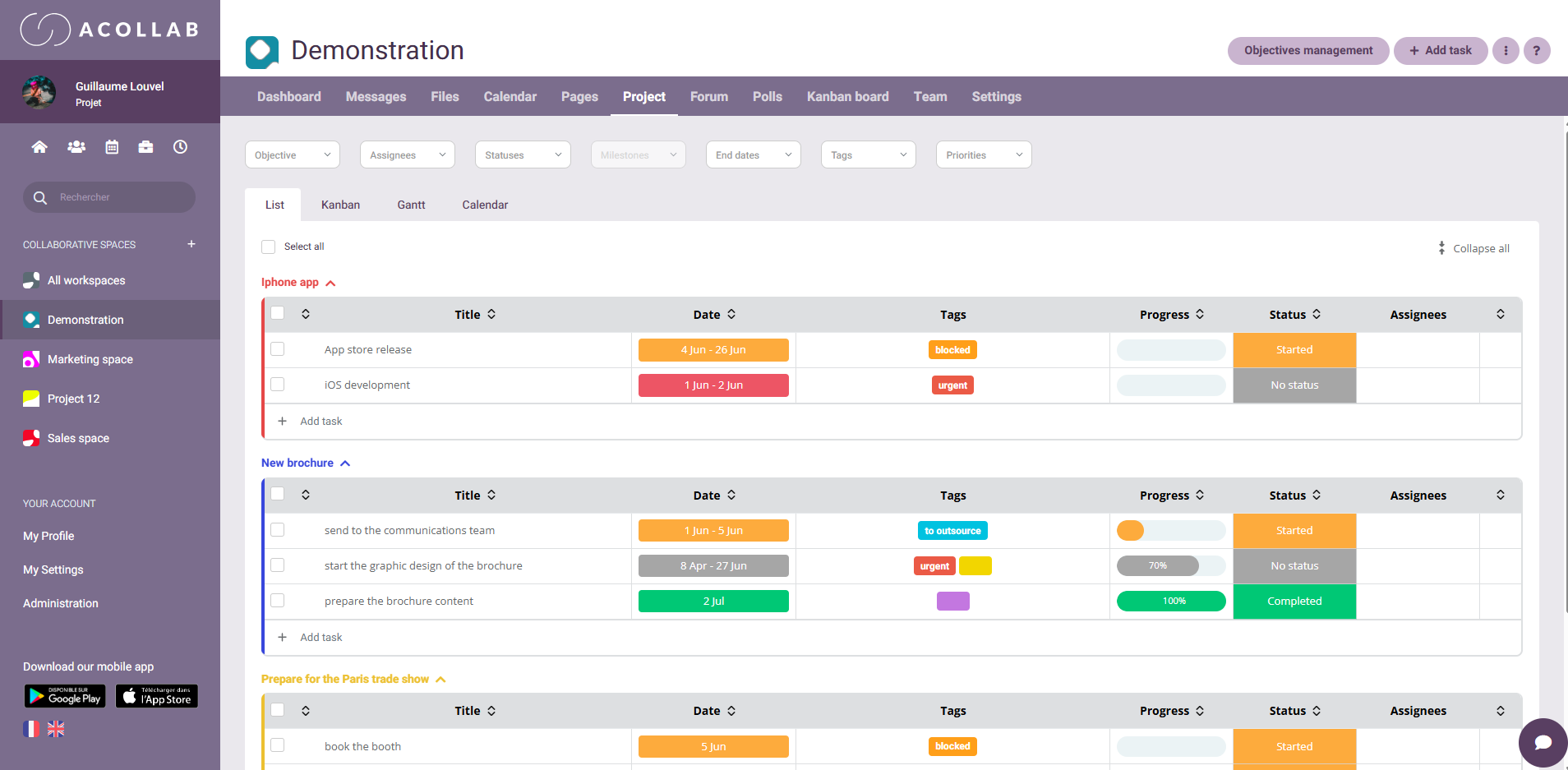
List view: keep all your tasks organized
The List View provides a structured overview of every task in your project. Easily sort, filter, and organize information to monitor progress and keep your projects on track.
This view is ideal for:
- Quickly reviewing all project tasks
- Updating deadlines, assignees, and priorities
- Filtering tasks using different criteria
- Managing large volumes of project data efficiently
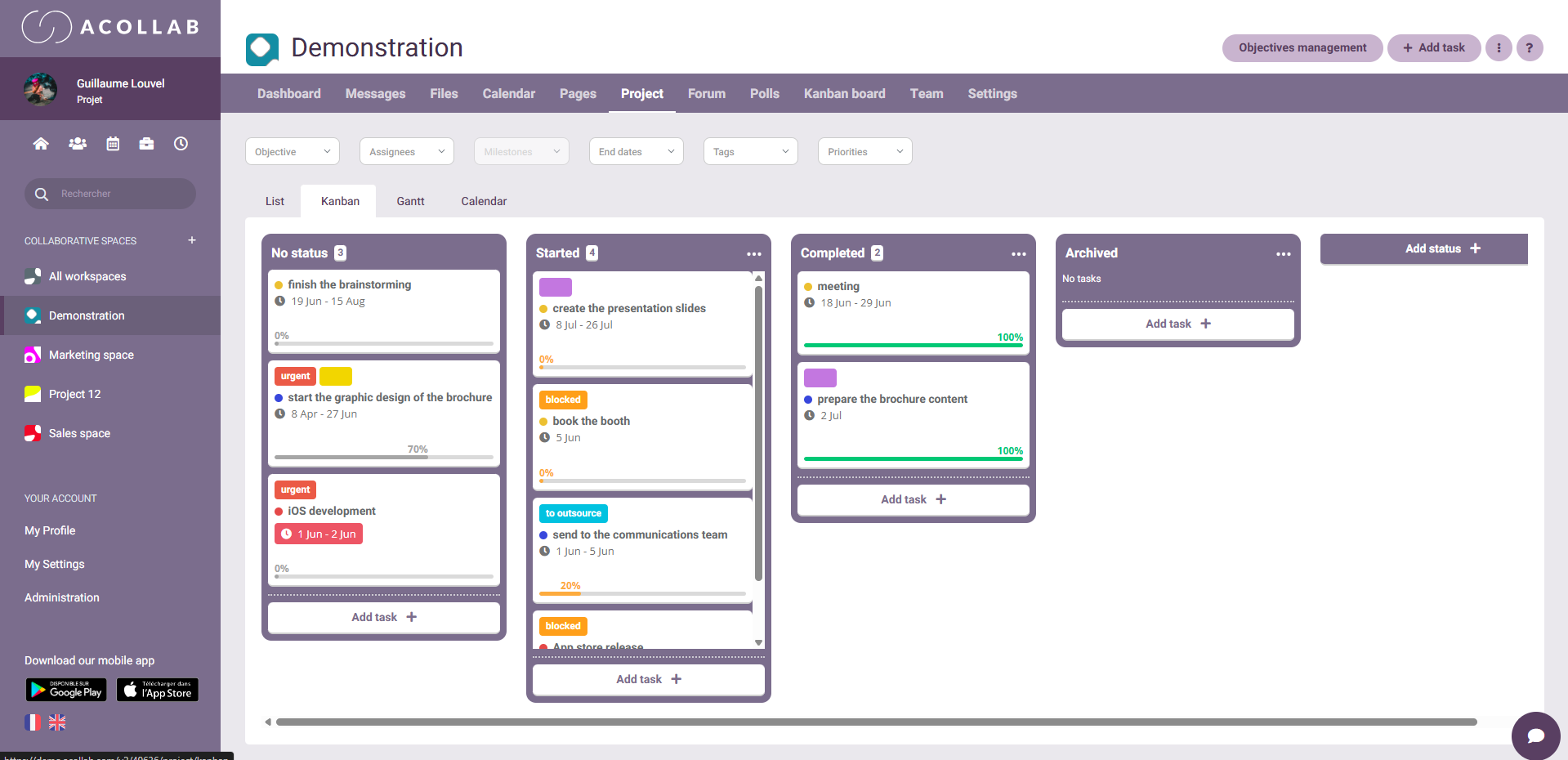
Kanban view: visualize project progress
The Kanban View displays your tasks as cards organized into columns representing each stage of your workflow, such as To Do, In Progress, and Completed.
Simply drag and drop tasks between columns to instantly update their status.
This view is perfect for:
- Tracking project progress in real time
- Quickly identifying bottlenecks
- Improving team collaboration
- Managing Agile projects and workflows
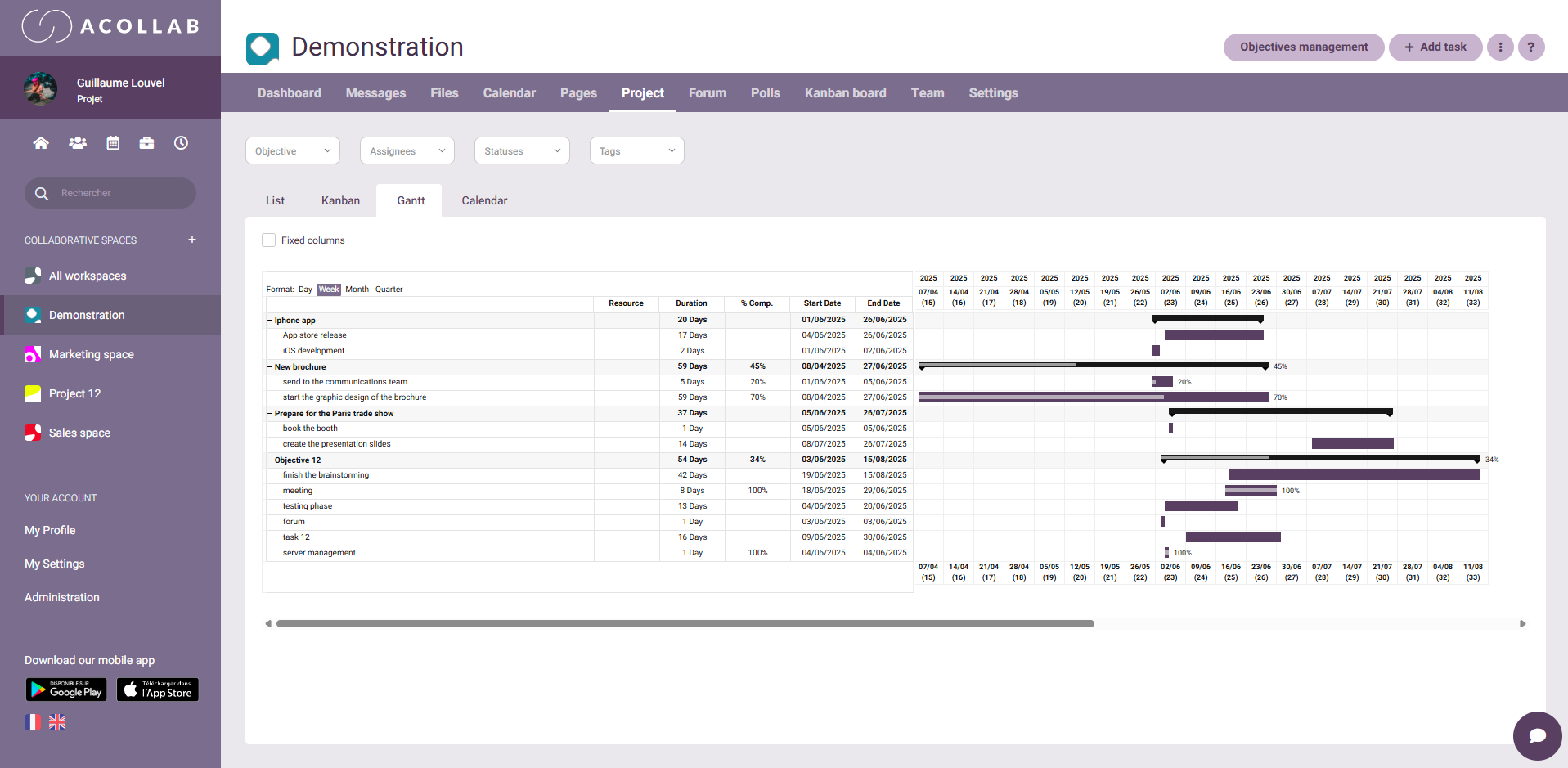
Gantt Chart: Plan projects over time
The Gantt Chart provides a timeline view of your project, allowing you to visualize tasks, durations, deadlines, and dependencies.
It helps you:
- Plan projects more effectively
- Anticipate potential delays
- Coordinate project phases
- Track key milestones
Calendar View: Stay on top of deadlines
The Calendar View displays your project tasks within a calendar, giving you a clear overview of deadlines and scheduled activities by day, week, or month.
It’s particularly useful for:
- Monitoring important dates
- Scheduling activities and assignments
- Balancing workloads over time
- Anticipating busy periods
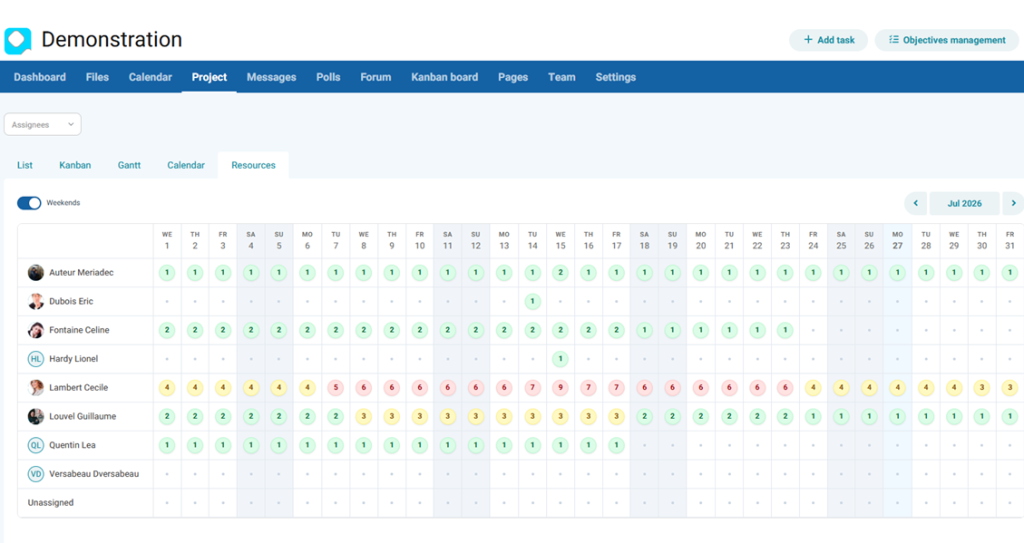
Resource View: Balance your team's workload
The Resource View helps you monitor how work is distributed across your team. At a glance, you can identify available team members, employees with heavy workloads, and potential workload imbalances.
With visual indicators and a consolidated view across all your projects, you can:
- Balance workloads more effectively
- Prevent employee overload
- Anticipate future resource needs
- Optimize team planning and resource allocation
Main features of Acollab's project management platform
Tasks list management
Tasks list allow you to group tasks within your project.
Task management
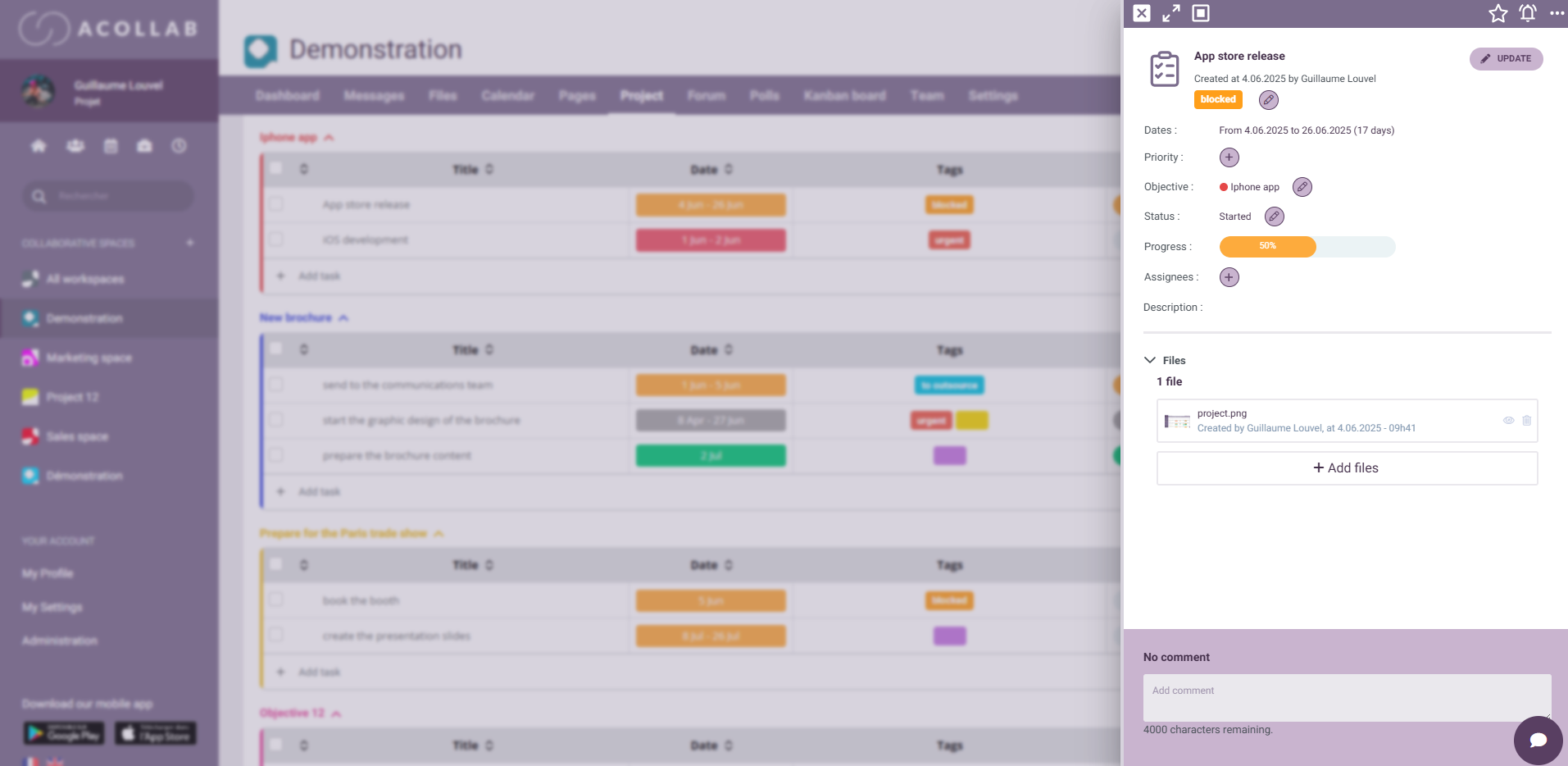
Each task has the following attributes:
- Label and a description
- Priority
- Start and end date
- Status (To do, In progress, Completed, Archived, etc…) and progress percentage
- Automatic highlighting of late tasks
- Task managers, which are team members who are in charge of said task
Task manager(s)
You can assign one or more managers to any task. These managers will be notified as soon as this task gets updated. You can also use filters to only show tasks assigned to specific users.
Integrated time tracking
The platform’s time and expense tracking tool, Timecollab, allows you to track the time spent on different tasks within your project.
Gantt chart
A Gantt chart is a visual platform used in project management, allowing you to display your project’s task against time. This platform fulfils two objectives: to plan optimally and to communicate within the established schedule. It displays each task’s start and end dates, as well as the progress percentage, allowing you to get all the important information at a glance.
Comments
Each team member can leave a comment on a task, which makes it easier for users to interact with each other on a given topic, leading to an increase in productivity.
Would you like to try the project management platform ?
Attached files
The ability to attach files to tasks allows team members to quickly access documents relevant to the task, deliverables or intermediate working documents.
Task import / export
In case of similar projects, you can import tasks from another project to save time when initiating a new project.
Notifications
Email notifications can alert team members when a task is assigned to them, when a new task is created, when a task they are assigned to changes status etc…