
Project management platform
for teams
What is project management software?
Project management software helps teams plan, organize and track all the tasks required to complete a project. It makes collaboration easier, helps teams meet deadlines and centralizes important information in one place.
With Acollab, projects, documents, discussions and deadlines are brought together in a secure collaborative environment.
Manage projects by objectives and tasks
Acollab’s collaborative platform includes a comprehensive project management tool.
Collaborative spaces allow you to divide your business into as many projects as you need and manage user access rights at the project level. Each project is organized into two levels:
- Objectives (or task lists), which define the structure of the project.
- Tasks (grouped by objective), which include a wide range of detailed attributes.

5 distinct views
Every team has its own way of managing projects. Some prefer a detailed task list, while others work more efficiently with a Kanban board, a Gantt chart, or a calendar view. That’s why Acollab offers multiple project views, all synchronized with the same data. Switch between them with a single click to match your workflow and project needs.
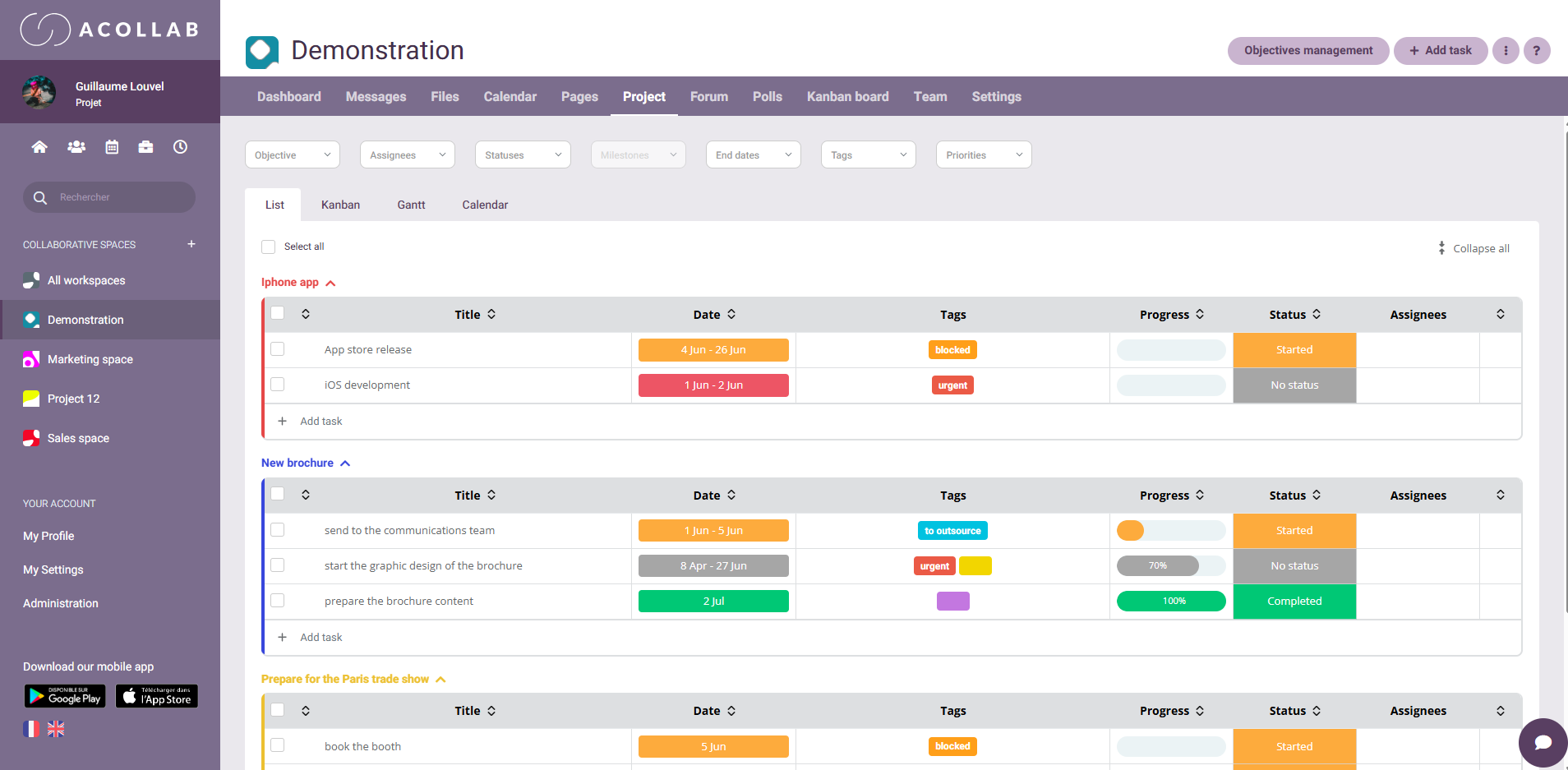
List view: keep all your tasks organized
The List View provides a structured overview of every task in your project. Easily sort, filter, and organize information to monitor progress and keep your projects on track.
This view is ideal for:
- Quickly reviewing all project tasks
- Updating deadlines, assignees, and priorities
- Filtering tasks using different criteria
- Managing large volumes of project data efficiently
Kanban view: visualize project progress
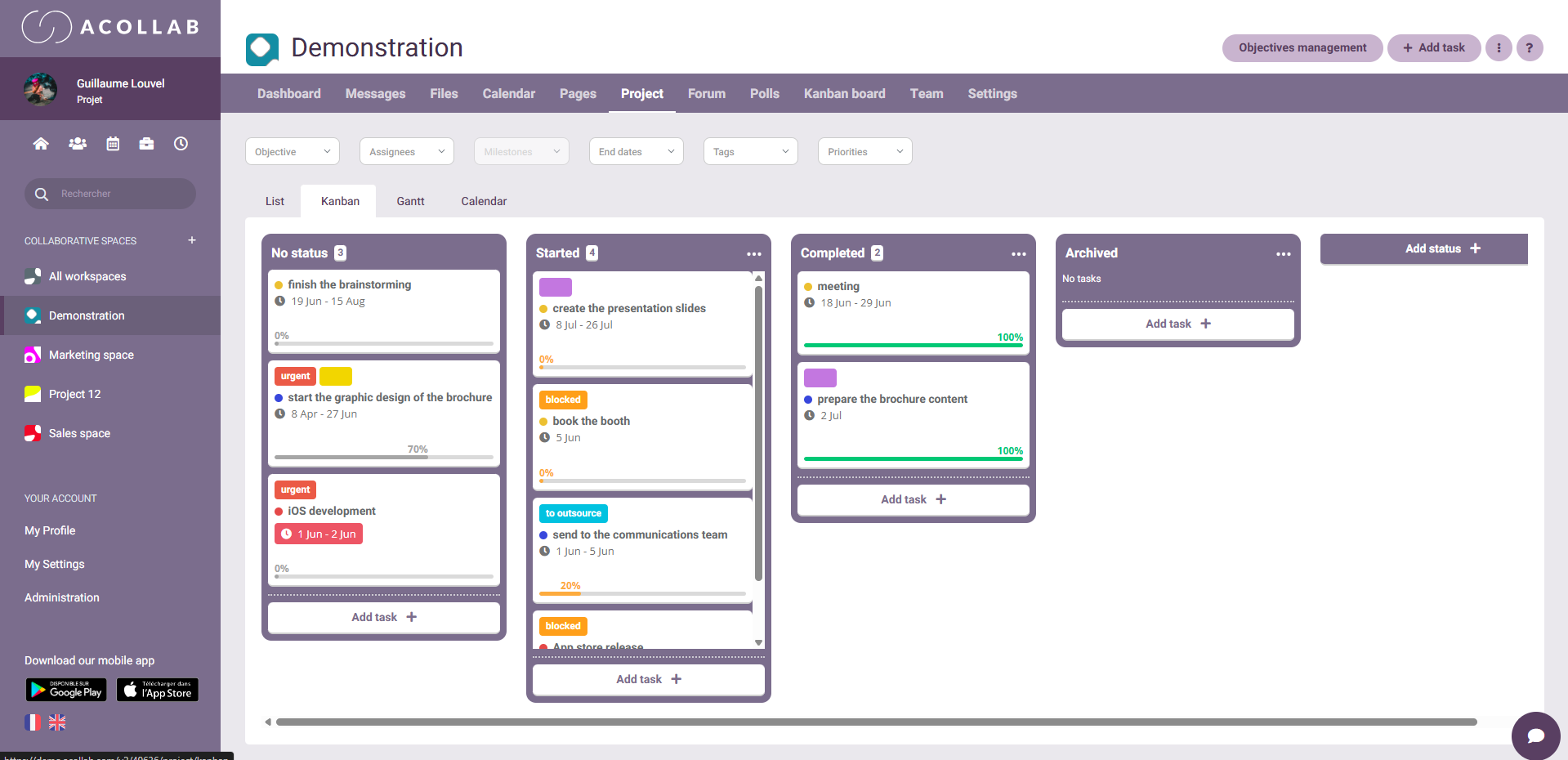
The Kanban View displays your tasks as cards organized into columns representing each stage of your workflow, such as To Do, In Progress, and Completed.
Simply drag and drop tasks between columns to instantly update their status.
This view is perfect for:
- Tracking project progress in real time
- Quickly identifying bottlenecks
- Improving team collaboration
- Managing Agile projects and workflows
Gantt Chart: Plan projects over time
The Gantt Chart provides a timeline view of your project, allowing you to visualize tasks, durations, deadlines, and dependencies.
It helps you:
- Plan projects more effectively
- Anticipate potential delays
- Coordinate project phases
- Track key milestones
Calendar View: Stay on top of deadlines
The Calendar View displays your project tasks within a calendar, giving you a clear overview of deadlines and scheduled activities by day, week, or month.
It’s particularly useful for:
- Monitoring important dates
- Scheduling activities and assignments
- Balancing workloads over time
- Anticipating busy periods
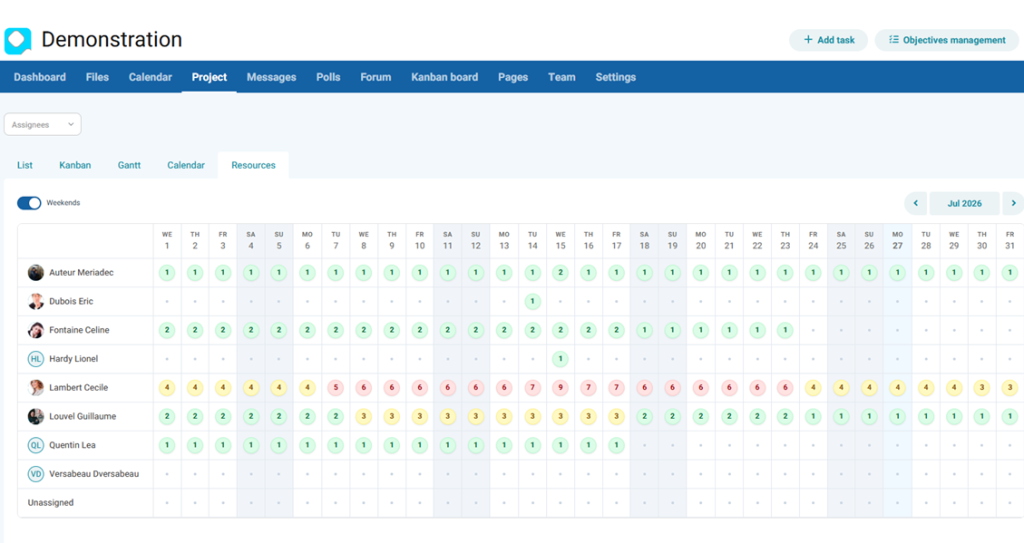
Resource View: Balance your team's workload
The Resource View helps you monitor how work is distributed across your team. At a glance, you can identify available team members, employees with heavy workloads, and potential workload imbalances.
With visual indicators and a consolidated view across all your projects, you can:
- Balance workloads more effectively
- Prevent employee overload
- Anticipate future resource needs
- Optimize team planning and resource allocation
Main features of Acollab's project management platform
Objective management
Objectives allow you to break a project down into groups of tasks. An objective can also be used as a task list.
Task management
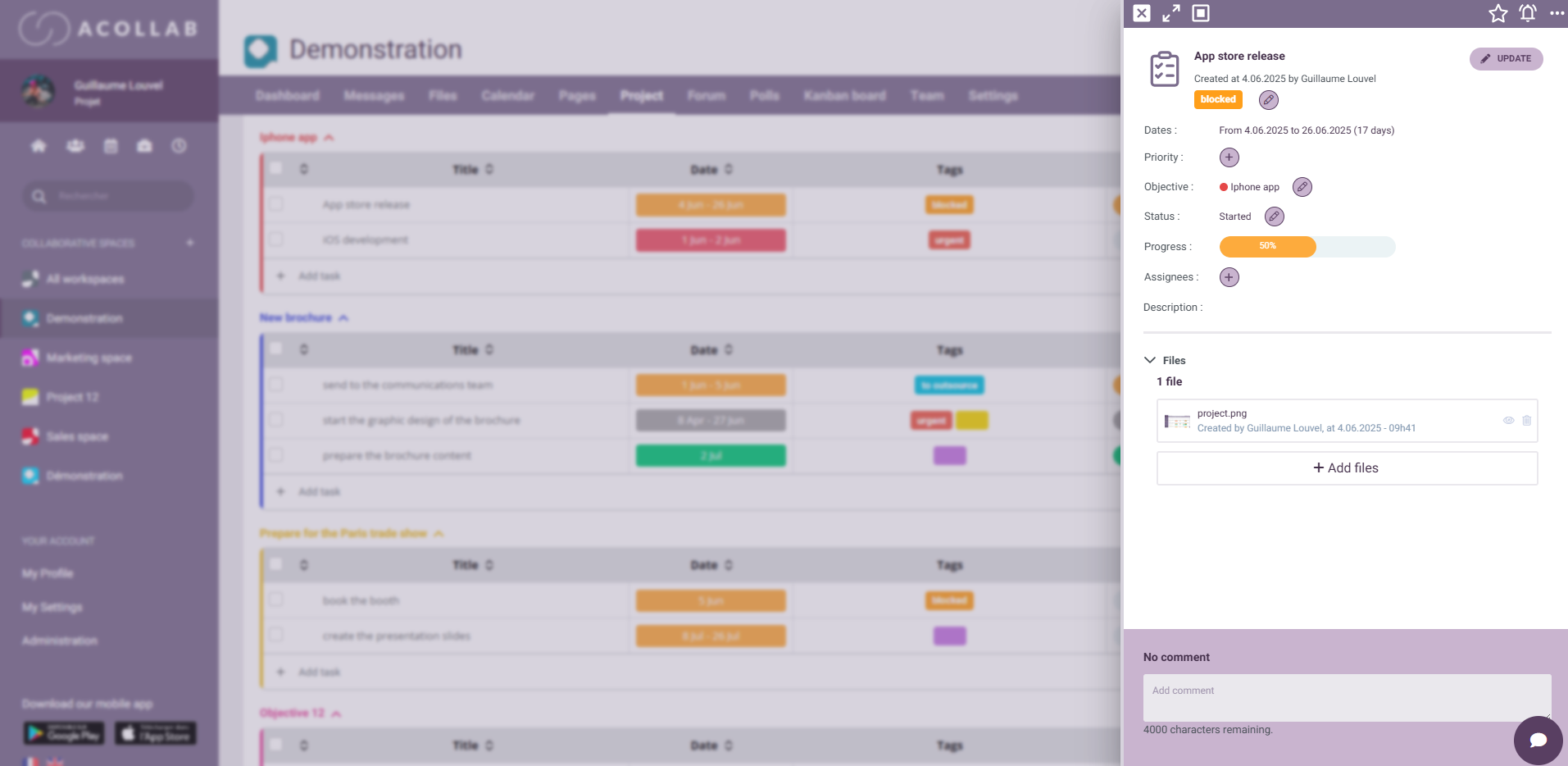
Each task includes the following attributes:
- A title and description
- A priority level
- A start date and end date
- A status (To do, In progress, Completed, Archived, etc.) and a completion percentage
- Automatic identification of overdue tasks
- One or more assignees
Task assignees
You can assign each task to one or more team members. Acollab automatically notifies assignees whenever an event occurs on a task assigned to them.
You can also view all the tasks associated with a specific team member, making it easier to monitor individual responsibilities and workload.
Integrated time tracking
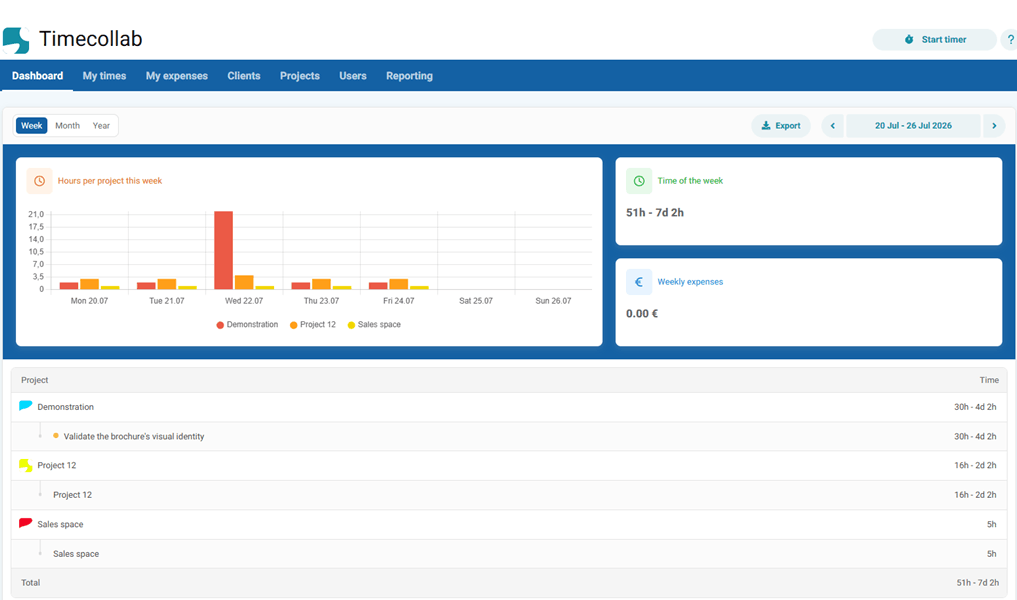
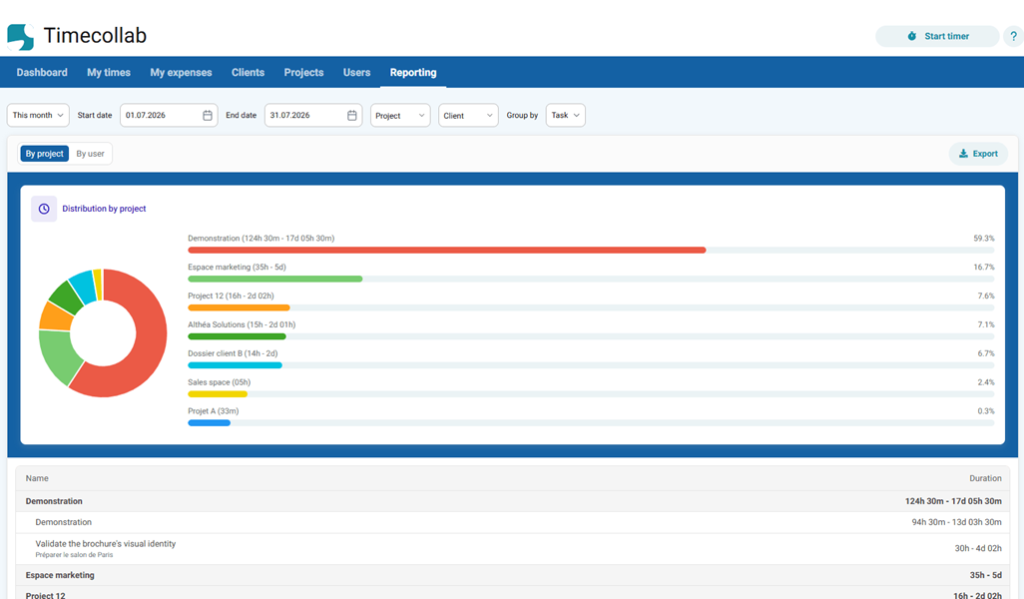
Acollab’s integrated time and expense tracking tool, TimeCollab, allows you to track the time spent on the different tasks in your projects.
Set an estimated duration for each task to compare the actual time spent with the estimated time at the end of your project.
You can also add billable or non-billable expenses to each client project, such as a restaurant receipt.
Would you like to try the project management platform ?
Why use project management software?
- Improve project visibility
- Distribute tasks more effectively
- Meet deadlines
- Centralize documents
- Track progress in real time
- Facilitate team collaboration
Get better visibility into your projects
A project management tool is much more than a simple task list. It gives you a global, real-time overview of all your activities.
With views such as the Gantt chart and Kanban board, you can immediately identify delays, task dependencies and priorities that need attention.
This visibility is essential for anticipating blockers and adjusting resources before an issue becomes critical. By centralizing information in a single tool, you reduce blind spots and make better decisions.

Centralize information to prevent information loss
Emails, scattered files, Slack conversations… Without a structured tool, information can quickly get lost.
With a solution like Acollab, all project-related information is brought together in one place: tasks, documents, messages, schedules and more.
The result:
- Fewer errors
- Less time wasted searching for information
- Better project continuity
Improve internal and external collaboration
Modern project management often involves multiple stakeholders: internal teams, clients and partners.
A collaborative tool allows you to:
- Assign roles and responsibilities
- Share information in real time
- Easily involve external stakeholders
Acollab allows you to invite external collaborators with specific permissions, making collaboration easier while keeping control over your information.
Use cases
Use case 1: Web or communication agency
An agency manages several clients at the same time:
Website development
Marketing campaigns
Content creation
With Acollab:
- Each client has their own project space
- Tasks are assigned to the relevant teams (development, design, marketing)
- The project manager and client can track progress using Kanban or Gantt views
Result: better organization and improved ability to meet client deadlines.
Use case 2: Multi-site SME
A company with several branches or points of sale needs to coordinate:
- Teams
- Internal projects
- Schedules
With Acollab:
- Information is centralized
- Teams have access to a shared calendar
- Tasks can be tracked by location
Result: a global overview despite geographically distributed teams.
Use case 3: Local authority
A local council or local authority manages:
- Urban development projects
- Events
- Coordination between departments
With Acollab:
- Projects can be organized by department
- Administrative documents can be shared
- Actions can be tracked
Result: better coordination and traceability.
Use case 4: Remote team
A distributed team needs to collaborate without working from the same physical office.
With Acollab:
- Documents and tasks are accessible online
- Teams receive real-time notifications
- Tasks can be tracked collaboratively
Result: teams stay aligned despite the distance.
FAQ
What is a project management tool?
A project management tool is software that helps teams plan, organize and track project tasks. It centralizes information, facilitates collaboration and provides better visibility into project progress.
Why use a project management tool?
It helps you:
- Structure tasks
- Improve communication
- Reduce errors
- Save time
Overall, it helps increase team productivity.
Who is project management software for?
Project management software is suitable for:
- SMEs
- Startups
- Agencies
- Local authorities
- Internal teams
In short, any organization that needs to manage projects.
Can project management software replace Excel?
Not completely, but it is much better suited to:
- Collaborative work
- Real-time project tracking
- Managing responsibilities
Excel remains useful for certain types of analysis, but it is not designed to manage a project collaboratively.
Is project management software suitable for small teams?
Yes. Even a small team can benefit from:
- Clarifying priorities
- Avoiding duplicate work
- Structuring its workflow
- Accessing projects from anywhere
What is the difference between Kanban and Gantt?
- Kanban: visualizes tasks according to their status (To do, In progress, Completed).
- Gantt: plans tasks over time and displays dependencies between them.
Both views complement each other and are available in Acollab.
Acollab: a French alternative
A French alternative to international project management software:
- Monday
- Asana
- Trello
- ClickUp
- Microsoft Planner