
Collaborative planning and
remote work
In a world where remote work is increasingly becoming a standard practice, team organization has become a central concern. How can teams ensure smooth coordination, avoid misunderstandings, and make sure everyone is working toward the same goals? One of the most powerful ways to address this challenge is through the use of collaborative planning tools. These simple and accessible digital tools allow both managers and employees to visualize tasks, distribute workloads, and track project progress in real time.
In this article, we explore the benefits of collaborative planning in a remote work context, best practices for implementing it, and the essential features that make these tools true allies in team organization.
Remote work: a new challenge for team organization
Remote work offers many advantages: reduced commuting time, better work-life balance, increased autonomy… However, it can also complicate team coordination. Informal conversations by the coffee machine disappear, information gets scattered across emails and instant messages, and the risk of misalignment grows.
Managers therefore need to put methods and tools in place that promote visibility and transparency. This is where collaborative planning proves its value: it becomes a shared reference point, accessible to everyone, centralizing key information about projects and tasks.

What's a collaborative planning tool?
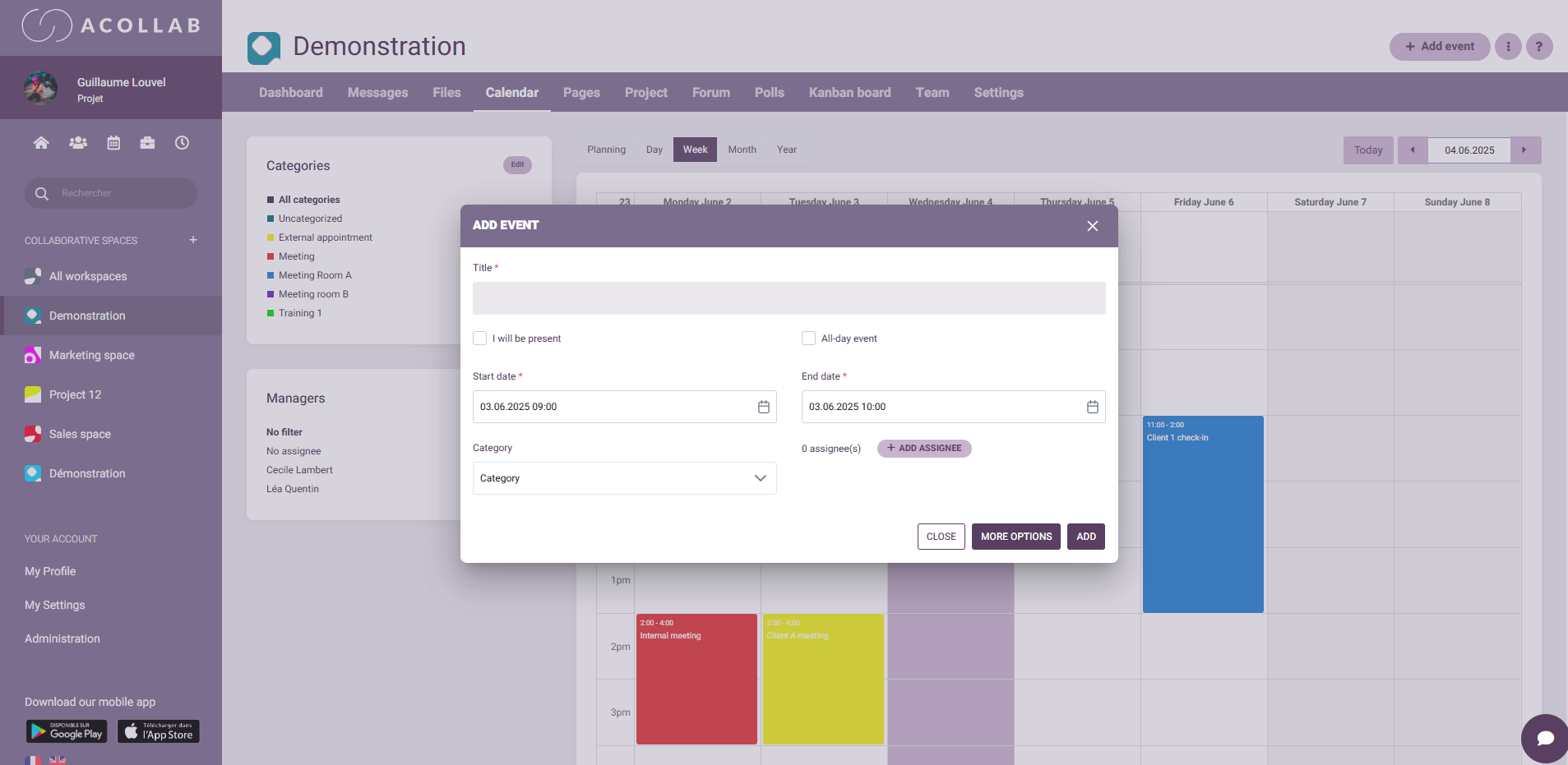
A collaborative planning tool is an online solution that allows multiple people to view, add, and modify information related to work organization. Unlike a simple spreadsheet or personal calendar, it is designed to be shared and updated in real time.
Common features include:
- Visualization of projects and tasks in calendar form or as a Gantt chart
- Tracking of team check-ins and milestones
- Visibility of team members’ calendars in a single unified view
- The ability to comment, share files, and collaborate directly on each event
A collaborative planning tool is therefore not just a calendar, it is also a space for communication and progress tracking.
The benefits of collaborative planning in remote work

Better visibility for everyone
When teams are distributed, it is essential for everyone to know what others are working on. Collaborative planning provides an overview of ongoing projects and weekly priorities. This helps reduce duplication, prevent oversights, and anticipate potential delays.
Significant time savings
No more endless email threads just to find out who is doing what and by when. Collaborative planning centralizes information, allowing everyone to find answers in just a few clicks. This frees up time to focus on core tasks.

Greater accountability and autonomy
With access to a clear and up-to-date plan, each team member knows exactly what they are responsible for and what deadlines they need to meet. This encourages autonomy and reduces micromanagement, which is often challenging in a remote environment.
Smoother communication
Collaborative planning tools often include comments and notification features. This makes it possible to discuss directly within the context of a task, instead of spreading information across multiple communication channels.
Better coordination of absences
In a remote setting, it can be difficult to know who is available and when. Collaborative planning tools make it easy to visualize vacations, remote work days, and absences, helping teams better organize meetings and deliverables.
Best practices for implementing an effective collaborative plan
Implementing a collaborative planning tool is not just about choosing software and rolling it out. Here are some best practices to get the most out of it:
Define clear rules
Who updates the plan? How often? Which types of tasks should be included? Setting clear rules from the start helps avoid confusion and ensures the planning remains reliable.
Train the teams
Even the most powerful tool is useless if employees don’t know how to use it. Offer a short training session or a user guide so everyone understands how to create, update, and track tasks.
Keep it up to date
A collaborative plan must be a living tool. Encourage teams to update it in real time and flag any major changes. An outdated plan quickly loses its value.

Integrate planning into team rituals
Use weekly meetings to review the plan and check progress. This helps identify blockers early and adjust priorities when needed.
Avoid overloading the plan
It can be tempting to include everything, but an overly detailed plan quickly becomes unreadable. Find the right level of information: key tasks, client meetings, internal check-ins, and major milestones.
Key features to prioritize for remote work
Not all collaborative planning tools are created equal. For remote work, certain features are especially important:
- Real-time updates: essential to avoid inconsistencies
- Multi-calendar views: useful for teams working on several projects simultaneously
- Customizable notifications: to stay informed without being overwhelmed
- Integration with other tools: messaging, document management, etc., to centralize information
- Mobile accessibility: to view and update plans on the go
Example of use with Acollab
The Acollab platform offers a comprehensive project management module, perfectly suited to remote work. With Acollab, you can:
- Create projects and break them down into tasks
- Assign owners and due dates
- Track progress using a Kanban view or a Gantt chart
- Discuss directly on each task through comments
- Share project-related documents
All of this is available in a single collaborative workspace, accessible to the entire team wherever they are. Acollab helps reduce information loss and ensures everyone is aligned around the same goals.

Conclusion: A winning duo for high-performing teams
Remote work is here to stay, along with the need to organize work differently. Collaborative planning tools are not just convenient, they are a true performance driver for remote teams. They bring clarity, transparency, and coordination, while also encouraging autonomy and accountability.
By adopting a solution like Acollab, you equip your team to collaborate more effectively, save time, and reduce the stress caused by disorganization. It is an investment that quickly leads to improved collective efficiency and higher team satisfaction.