
The best shared calendar
of 2025
In 2025, team coordination is more complex than ever before: flexible schedules, hybrid remote work, external contractors, employees on the move, meetings to organize across time zones, overloaded inboxes… In this context, the shared calendar is no longer a “handy little tool”: it has become the backbone of collective time management. It structures the day, streamlines communication, and secures appointments (both internal and client-facing).
For small and medium-sized businesses, a good shared calendar must address four concrete challenges:
- Ease of adoption (the team should get on board in a few days, not a few months).
- Clarity (who is doing what, where, and when).
- Reliability (synchronization, access rights, alerts).
- Integration with the rest of the tool stack (collaboration, documents, tasks, etc.).
In this guide, we review the essential criteria and present an overview of the best solutions for 2025.
The selection criteria: what really matters for an SME
Before comparing the solutions, let’s clarify the criteria that truly make a difference in real-world use.

Clarity and user experience
Day/Week/Month view that is instantly readable.
Consistent visual codes (colors, event types, tags).
Smooth appointment creation in 2–3 clicks
Granular management of permissions and teams
Team, department, and project calendars.
Selective sharing: public/internal/confidential, view-only/edit access.
Ability to securely invite external users (clients, partners).
Resource management
Resource booking
Availability/absences/vacations
Time slot reservation
Security and hosting
Role-based permissions, activity logs, backups.
Data hosting in France.
Data recoverability (export).

Onboarding and support
Import possible
Responsive support
Quick training (single demonstration, online help, tutorials)
For SMEs, balancing these criteria is crucial: there’s no point in having a feature-packed tool if the team doesn’t adopt it, and no point in having a ‘nice-looking’ tool if managing permissions ends up wasting your time.
Top 2025: The Best Shared Calendars (SMEs)
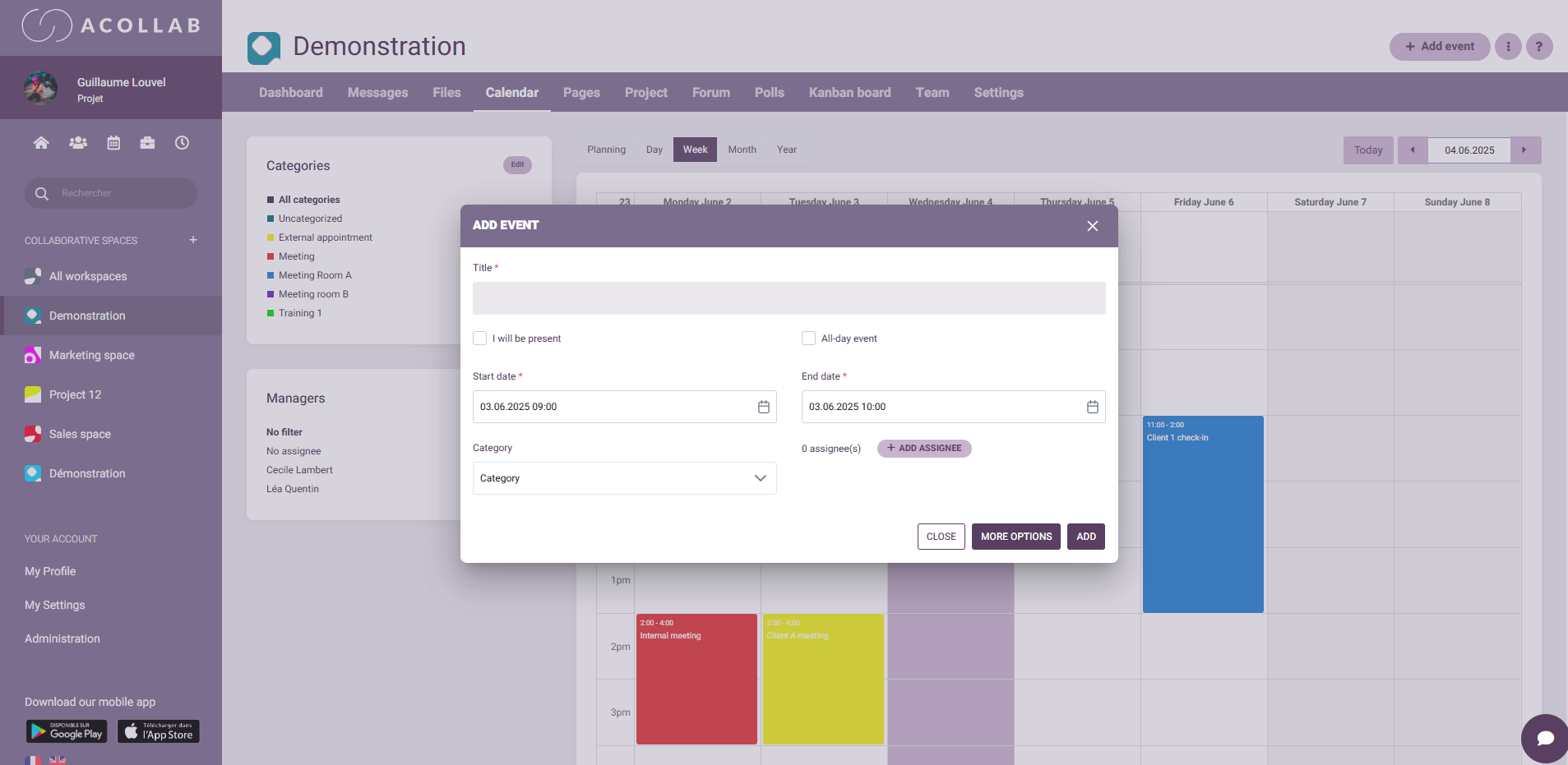
Why first? Because a calendar is never isolated: it lives at the heart of a work ecosystem (tasks, documents, discussions). This is precisely Acollab’s strength: the calendar is naturally integrated into your project spaces, team conversations, files, and tasks : all within a single interface.
Key strengths for SMEs:
- Clear and responsive multi-view calendar.
- Fine-grained sharing: a client can see meetings without seeing task progress.
- Availability tracking: vacation, RTT, absences, remote work, on-call duties.
- Resource management: meeting rooms, company vehicles.
- Colorful and clear visuals: color codes, filters.
- Reduced mental load: everything is centralized (no more “email/calendar/file” misunderstandings).
- Quick onboarding: simple logic, accessible support, fast adoption for non-technical teams.
- “All-in-one” approach: fewer tools, fewer scattered notifications, more coherence.
- Mobile app for iOS and Android.
Typical use cases:
- Service SMEs: scheduling client meetings, workshops, deliverables tied to project milestones.
- Agencies & consultancies: syncing weekly meetings, retro-planning, centralized reports.
- Multi-trade small businesses: industrial, construction, retail… resource allocation, coordination of field interventions, approvals on site.
In summary: if you want a calendar that truly lives in your daily work (not just a side calendar), Acollab saves time and brings clarity. It’s our #1 choice for SMEs in 2025.
For whom? Teams already in the Google Workspace ecosystem, needing a universal calendar.
Strengths:
- Excellent simplicity, native Google Meet video links.
- Sharing via email, public/private links, multiple calendars.
- Broad iCal compatibility, smooth mobile apps.
Limitations:
- “Workload” and “project” views less rich without add-ons.
- Limited native integration with your team’s tasks/documents if you’re not fully in Workspace.
- Governance/permissions sometimes too “broad” for sensitive cases.
For whom? Companies already equipped with Microsoft 365.
Strengths:
- Integration with Outlook/Teams/OneDrive/SharePoint.
- Room and resource booking, advanced organizational policies.
- Robust IT-side security and administration.
Limitations:
- Adoption curve can be steeper for small businesses unfamiliar with the system.
- Less “intuitive” for connecting the calendar to readable project spaces without add-ons.
For whom? Resource-based planning (vehicles, rooms, field teams).
Strengths:
- Unmatched readability by color/resource.
- Sharing via links (view/edit).
- Easy to set up for small businesses.
Limitations:
- “Pure calendar” tool: limited integration with projects, documents, and conversations.
- Automations and API less central than in full suites.

For whom? SMEs using the Zoho suite (CRM, Projects, Desk).
Strengths:
- Consistency within the Zoho ecosystem, native connectors.
- Internal/external sharing, multiple calendars.
Limitations:
- Outside the Zoho ecosystem, value is limited.
- UX can be inconsistent depending on the module.
For whom? Teams that document/process within Notion.
Strengths:
- Clean design, multi-account management, shortcuts.
- Good for syncing personal/pro calendars and quick navigation.
Limitations:
- More focused on “individual calendar + sync” than on structured team planning.
- Less advanced governance and fewer ready-to-use workload/project views.
What is the best shared calendar in 2025?

The right answer depends on the context: the best calendar is the one that fits naturally into your workflow and helps your teams save time.
- If you want a calendar that lives at the heart of your projects, messages, documents, and tasks, Acollab is the strongest option for SMEs.
- If you are 100% Google: Google Calendar is consistent and immediate.
- If you are 100% Microsoft: Teams Calendar is logical and easy to manage.
- If you mainly plan based on resources: Teamup is crystal-clear.
- If you use Zoho: stay within the ecosystem.
- If you love Notion: Notion Calendar offers great individual comfort.
Best practices for 2025: turning the calendar into a real efficiency lever
Define governance from the start
Define who creates which calendars (team, project, resource).
Assign owners (HR for time off, Project Manager for milestones…).
Set rules: default visibility, confidentiality, notifications, disabled features.

Centralize to reduce mental load
The real danger in 2025 is fragmentation (three calendars, five messaging tools, seven storage systems). Choose a tool that centralizes or truly integrates. A good shared calendar shouldn’t add another layer — it should simplify
Make unavailabilities visible
Vacations, remote work, travel, training.
Avoid overbooking.
Reduce time wasted on coordination.
Train the team in the small habits that make a big difference
Update the calendar in real time.
Use tags or categories (client, project, type of appointment).
Follow conventions: clear titles, locations, video links, agendas.
Why Acollab is particularly suited for SMEs
Beyond features, here’s what makes the difference for small and medium-sized businesses:

A single space to work in
Calendar, tasks, files, conversations, projects : everything is in one place. Fewer tools = less friction, fewer sync errors, and a more shared rhythm.
Quick adoption
SMEs often don’t have an internal IT department. The tool must be intuitive: Acollab’s calendar is smooth and is used by SMEs whose employees don’t have specific IT skills.
Granular permission management
Your employees can access one calendar but not another. Their access rights : viewer, contributor, administrator, can vary from one space to another
Reduction of organizational stress
With the calendar at the center, everyone sees the same picture: meetings, deliverables, dependencies, deadlines. Misunderstandings decrease, decisions are documented, and trust grows.
Scalable, without unnecessary complexity
You start simple, then add features without retraining the entire team. That’s the advantage of a calendar like Acollab.
Concrete scenarios (SMEs) where a shared calendar makes a difference

Scenario A – Communication Agency (12-person team)
Problem: meetings running over, unclear client approvals, back-and-forth emails.
Solution: each project has a calendar linked to the task management module. Creative reviews are added to the final task, with a link to the attached mockup. Result: 30% fewer reschedulings, increased clarity for clients.
Scenario B – Small Maintenance Business (3 technicians + manager)
Problem: paper schedules, SMS, missed appointments.
Solution: a resource calendar (“Vehicle/Technician”), with appointments including addresses and attached “before/after” photos.
Result: fewer gaps, better traceability, faster invoicing.

Scenario C – Consulting Firm (8-person team + freelancers)
Problem: days packed with meetings, little productive time.
Solution: set a maximum number of meetings per half-day, plan focus blocks in the calendar, implement weekly rituals.
Result: reduced meeting time, increased team satisfaction.
Quick checklist: are you ready to switch calendars?
Do your teams use two or more unsynchronized calendars?
Do they use a paper system or Excel as a calendar?
Do you lose more than 2 hours per week rescheduling?
Are unavailabilities (vacation, remote work) poorly visible?
Are meeting notes and tasks decentralized?
Do your clients have to guess project progress?
If you answered “yes” to two or more questions, a better-integrated shared calendar (like Acollab) can immediately improve workflow efficiency.
Common mistakes to avoid
Opening everything to everyone: transparency is not the absence of structure. Set proper permissions.
Multiplying calendars: favor a few structured calendars (team, project, resource) with an overview, as in Acollab.
Neglecting rituals: weekly check-ins, monthly reviews, retrospectives…
Forgetting post-meeting actions: without assigned tasks, an event remains just an event.

Quick FAQ
Is a shared calendar enough without task management?
No: for reliable execution, always link events with tasks and documents.
Should the calendar be imposed on everyone?
Better: onboard everyone. Explain the “why,” train in 30 minutes, and show the benefit for each person.
How to avoid notification overload?
Centralize, set quiet rules (e.g., no alerts after 7 PM), and configure notifications as you prefer.
What about external clients?
Invite them to their projects: visibility on their milestones, not on your internal matters.
Conclusion: In 2025, the best calendar is the one that lives within your work
The 2025 market is full of good calendars. But for an SME, the best calendar is the one that reduces fragmentation, clarifies priorities, and integrates naturally into actual work: projects, tasks, documents, communications, clients.
This is why Acollab stands out as the #1 choice: a shared calendar deeply connected to the rest of team collaboration. You gain coherence, visibility, and peace of mind, without multiplying tools or mental load.
If your goal is to better synchronize your teams, reassure your clients, and speed up deliverables, start with your calendar and make it the heart of your organization.