
How to manage your
election campaign?
Organizing an election campaign is an exercise that is as strategic as it is operational. Between team coordination, managing field actions, producing content, meeting deadlines, and handling sensitive information, the risks of disorganization are numerous.
In a context where campaigns increasingly rely on extended, sometimes hybrid teams, using a structured collaborative tool becomes a real lever for efficiency.
This is precisely where Acollab can play a key role: centralizing, coordinating, and securing all actions related to an election campaign.
The organizational challenges of an election campaign
Before talking about tools, let’s review the main challenges campaign teams face.
A multitude of stakeholders
A campaign often brings together:
- a candidate,
- a core team,
- volunteers,
- team leads (communication, field operations, logistics, finance),
sometimes external service providers.
Without a clear framework, information circulates poorly, gets lost… or arrives too late.

A tight and non-negotiable schedule
Election deadlines are fixed. Any delay in an action (flyers, public meetings, publications, administrative filings) can directly impact the campaign’s visibility or credibility.
A large volume of documents
Programs, visuals, talking points, press releases, schedules, reports… Without a centralized tool, versions multiply and mistakes become frequent.
A strong need for confidentiality
Some information is sensitive: strategy, messaging, internal data. It is therefore essential to control access and permissions.

Why use a collaborative tool like Acollab?
Acollab is a French collaborative project management tool designed to structure teamwork, even in complex contexts.
In an election campaign, it helps to:
- centralize information
- coordinate actions
- assign responsibility
- maintain a clear view of progress
Unlike scattered exchanges via emails or messaging apps, Acollab provides a shared, clear, and organized workspace.
Structuring an election campaign like a project
An election campaign can (and should) be managed as a full-fledged project.

Creating a dedicated workspace
With Acollab, it is possible to create a workspace specifically dedicated to the campaign, accessible only to the relevant people.
This workspace becomes the single entry point for actions, documents, and discussions.
Breaking the campaign down into projects or departments
For example:
- “Communication” project
- “Field Operations” project
- “Events” project
- “Platform” project
- “Logistics & Administration” project
Each project has its own tasks, files, and discussions.
Organizing actions through tasks and responsibilities
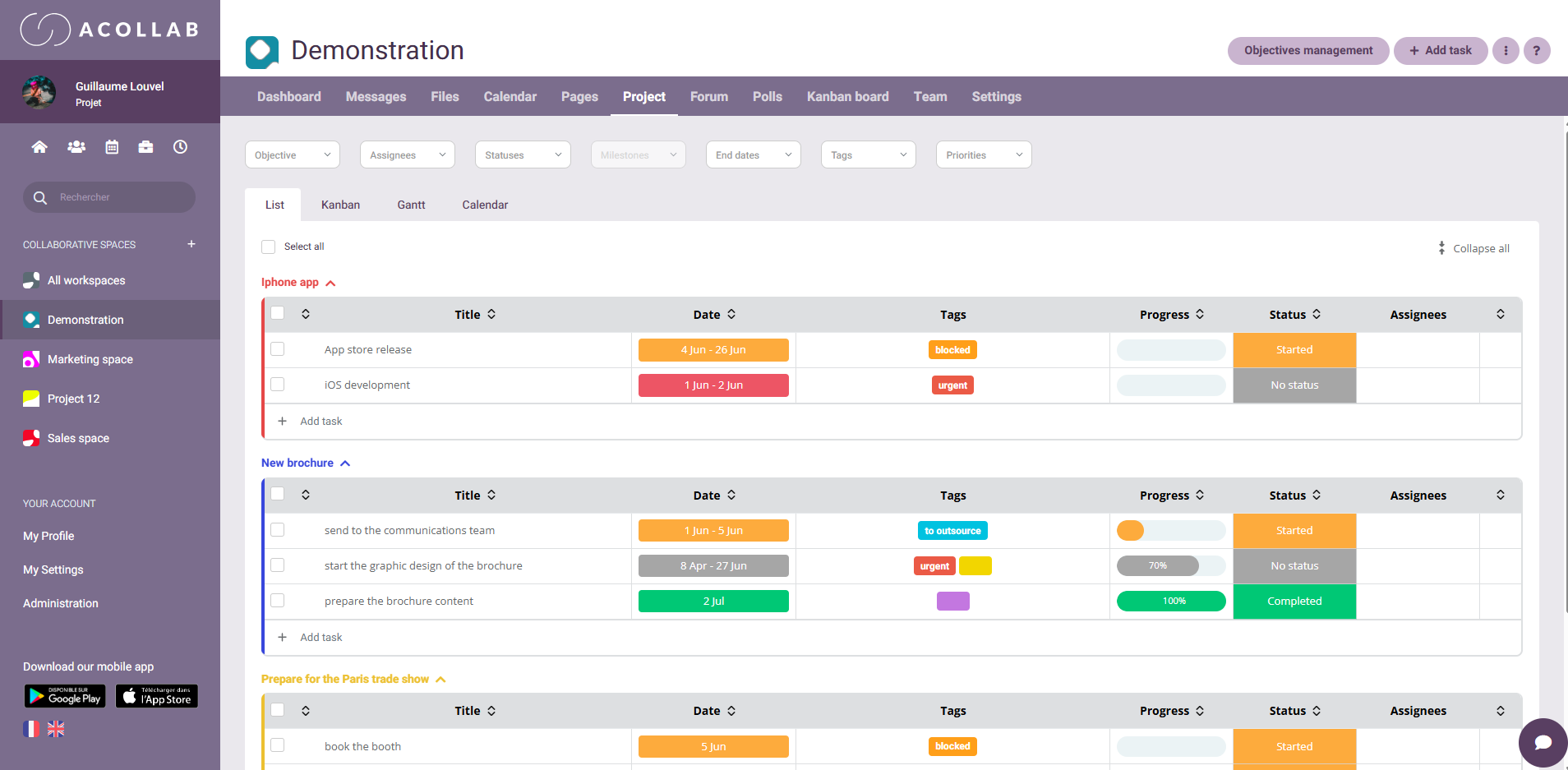
Creating clear, actionable tasks
Each campaign action can be turned into a task:
- printing flyers
- organizing a public meeting
- writing a social media post
- contacting local partners
For each task, Acollab allows you to define:
- one or more owners
- a deadline
- a progress status
Visualizing progress
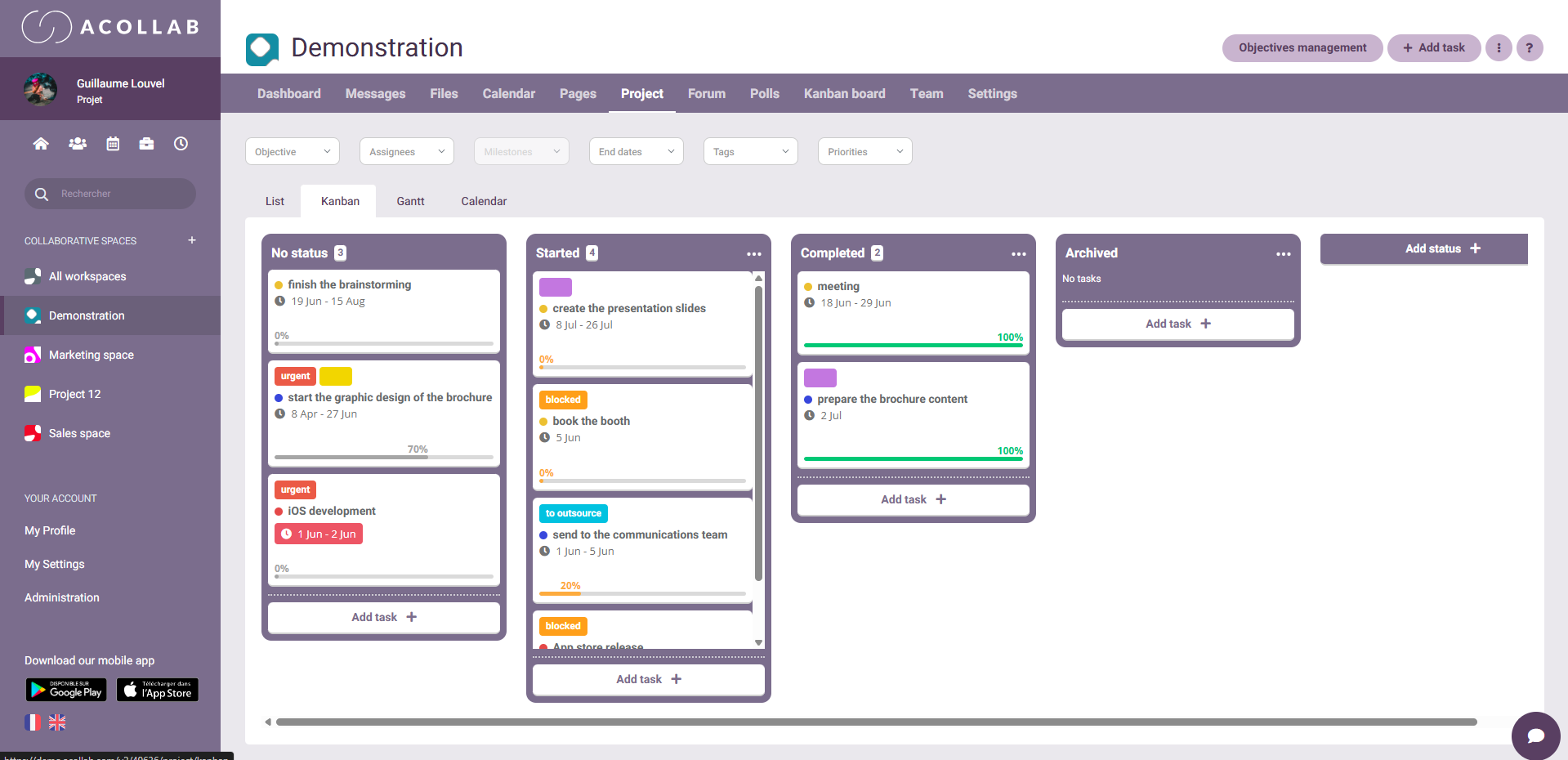
Customizable statuses (to do, in progress, to review, approved, blocked, etc.) allow the entire team to see at a glance:
- what is ready
- what is late
- what requires validation
The result: fewer follow-ups, smoother workflows.
Centralizing and securing campaign documents
A single space for all files
Acollab includes a file management module that is particularly useful for an election campaign.
You can store:
- platforms,
- talking points,
- visuals,
- press releases,
- meeting materials.
No more “final_v3_definitive.pdf” files.
Version control
Every change is tracked. It is possible to:
- revert to a previous version
- see who modified what
- avoid distribution errors.
Controlled access rights
Not all team members need access to all documents. Acollab makes it possible to:
- restrict access
- secure sensitive files
- protect strategic confidentiality
Facilitating internal team communication
Centralizing discussions
Instead of multiplying emails and messages, discussions can be linked to:
- a task
- a project
- a document
This preserves context, even weeks later.
Working efficiently in a hybrid environment
Between field meetings, remote volunteers, and team leads, hybrid communication is often the norm.
Acollab provides a shared space where everyone can:
- track progress
- leave comments
- access information at any time
Managing key approvals and decisions
An election campaign involves many validations:
- messages
- visuals
- public statements
- official documents
Thanks to customizable statuses and comments, Acollab helps to:
- quickly identify what needs approval
- track decisions
- reduce unnecessary back-and-forth
This is a real time-saver, especially during intense phases of the campaign.
Keeping pace with the campaign without losing visibility
A global view for campaign management
Campaign managers can, at a glance:
- see active projects
- identify delays
- anticipate bottlenecks
This visibility is essential for adjusting priorities in real time.

Less urgency, more anticipation
By structuring actions in Acollab, the campaign gains clarity and calm. Teams know what they need to do, when, and with whom.
A tool suited to institutional constraints
Acollab is a tool whose data is hosted in France and is used by both public and private organizations.
For an election campaign, these aspects are essential, particularly in terms of:
- access rights
- data security
In summary: Acollab, an ally for a well-managed campaign
Managing an election campaign without a structured tool means taking the risk of:
- wasting time
- poorly coordinating teams
- multiplying errors
By using Acollab, a campaign team can:
- structure its organization
- centralize information
- streamline communication
- secure documents
- maintain a clear overview up to election day
In a context where every action counts and the human factor is central, a collaborative tool like Acollab becomes a true management pillar, serving collective efficiency.