
What's a shared calendar?
In modern businesses, team coordination has become a key challenge. Meetings, project deadlines, employee leave, internal events: there is a lot of information to organize and keep track of. When this information is spread across different tools or individual calendars, collaboration can quickly become complicated.
This is where the shared calendar has become an essential tool for collaborative work. A shared calendar, such as Acollab, allows teams to centralize schedules, synchronize availability, and make collective organization easier.
But what exactly is a shared calendar? What is it used for, and how can it improve collaboration within a company?
Definition of a shared calendar
A shared calendar is a digital calendar accessible to multiple users, allowing them to view, create, and edit shared events.
Unlike an individual calendar, which is intended for a single person, a shared calendar provides a collective view of availability and activities.
Team members can, for example:
- View scheduled meetings
- See their colleagues’ availability
- Schedule appointments
- Keep track of important deadlines
- Share vacation days and absences
The goal is simple: make coordination easier and prevent scheduling conflicts.

Why use a shared calendar?
Using a shared calendar addresses several fundamental needs when it comes to organizing work.
Improve team coordination
In a collaborative work environment, projects often involve several people.
Without visibility into everyone’s availability, organizing a meeting or scheduling a project milestone can quickly become complicated.
A shared calendar makes it possible to:
- View available time slots
- Avoid overlapping meetings
- Schedule projects more easily
This transparency helps make teamwork smoother and more efficient.
Centralize information
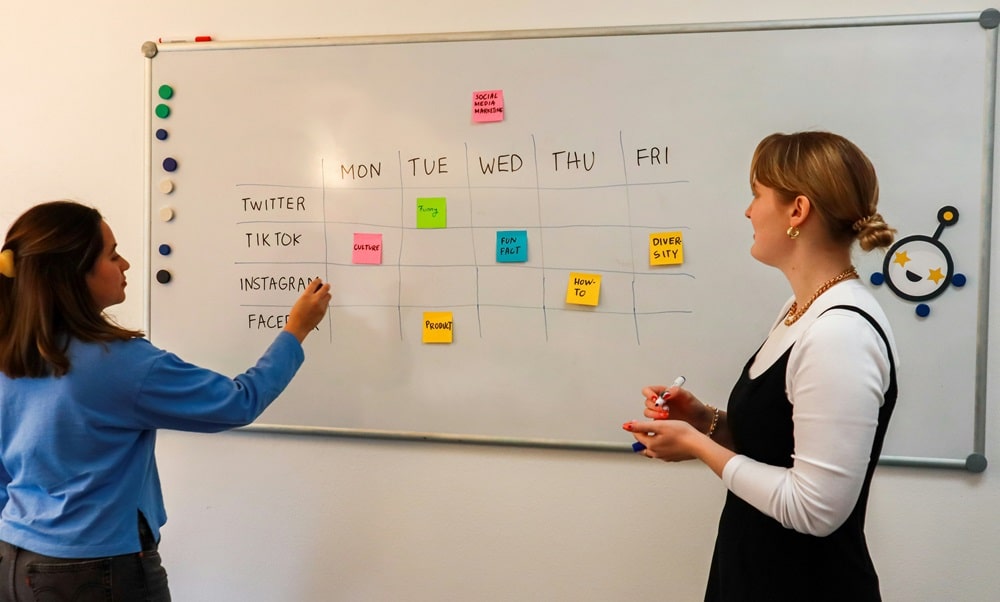
In some organizations, scheduling information is scattered across several tools: email, tracking tables, personal calendars, Excel files, and more.
This fragmentation can lead to errors or missed information.
A shared calendar, on the other hand, allows all calendar-related information to be centralized in one place. Teams know where to find the information they need and can easily refer back to it.
Make meeting organization easier
Meeting management is often one of the main reasons companies choose to use a shared calendar.
By viewing everyone’s availability, it becomes easier to:
- Suggest a suitable time slot
- Avoid scheduling conflicts
- Quickly send an invitation
Manage absences and vacation
A shared calendar can also be used to track:
- Vacation days
- Absences
- Business trips
- Remote working days
This visibility allows managers and teams to better anticipate periods of availability and organize work accordingly.

Improve overall productivity
When a team has a clear view of its schedule, it can work more efficiently.
A shared calendar can help:
- Reduce unnecessary communication when scheduling meetings
- Anticipate deadlines
- Better distribute workloads
These elements contribute to improving overall productivity.
Key features of a shared calendar
Modern shared calendars generally offer several key features.

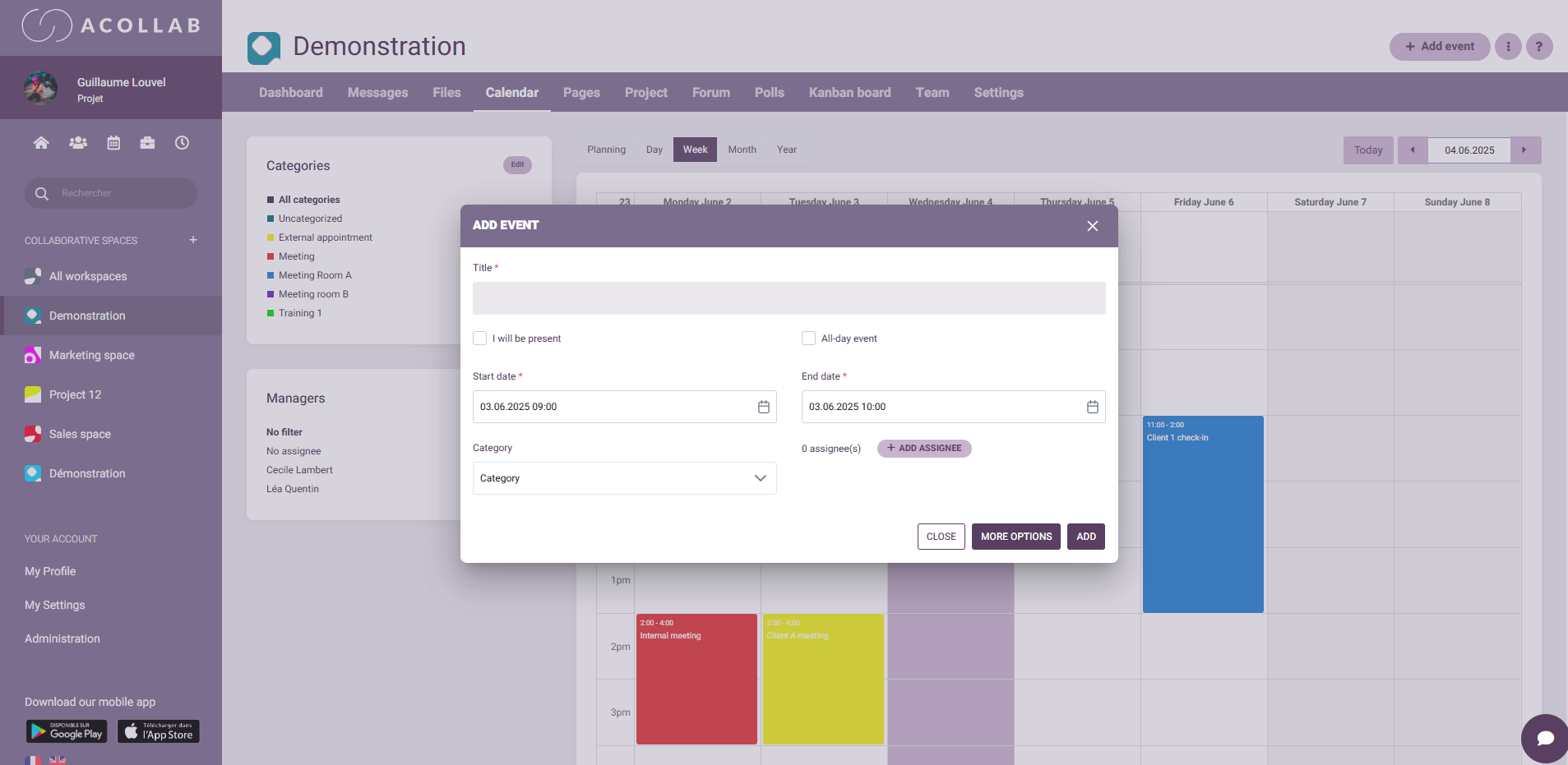
Creating and managing events
The main function is to create events that can be viewed by multiple users. Each event can include:
- A title
- A date and time
- A location or meeting link
- A description
- A list of participants
Invited members generally receive a notification or invitation.
Access rights management
Not all users necessarily need the same permissions within a shared calendar.
Depending on the organization, some members may be able to:
- View events only
- Add events
- Edit or delete entries
Managing user permissions helps maintain control over the organization of the calendar.
Notifications and reminders
To prevent missed appointments, shared calendars often include notification systems. Users can receive:
- Reminders before an event
- Notifications when an event is modified
- Invitations requiring confirmation
These alerts help everyone stay informed without having to constantly check the calendar.
Shared calendars and collaborative work
Today, shared calendars are a key component of collaboration tools.
With the rise of remote work and distributed teams, being able to coordinate activities remotely has become even more important.
In a hybrid team, some members may work:
- In the office
- From home
- In a different time zone
A shared calendar helps maintain a clear organization despite these different working arrangements.
Shared calendars and project management
Beyond organizing meetings, a shared calendar also plays an important role in project management. It can be used to schedule:
- Project milestones
- Progress meetings
- Deliverables
- Important deadlines
This visibility allows the entire team to keep track of the project timeline.
When integrated into a broader collaborative platform, the calendar becomes a genuine tool for managing and monitoring activities.

Shared calendars and data security
Like all digital tools used by businesses, shared calendars must meet certain security requirements.
Organizations should ensure that:
- Data is protected
- Access is secure
- Sensitive information remains confidential
In some cases, companies prefer solutions that provide greater control over data hosting and management. These criteria are particularly important for public-sector organizations or companies handling sensitive information.
Example of using a shared calendar
Let’s take the example of a six-person project team working on the development of a new product.
The shared calendar can be used to:
- Schedule weekly meetings
- Track project milestones
- Organize customer demonstrations
- View vacation periods
Each team member can consult the calendar to see:
- When meetings are scheduled
- Which deadlines are important
- Who is available or absent
This visibility makes coordination easier and prevents misunderstandings.

Tools that offer shared calendar features
Today, many collaboration tools offer shared calendar features. Some are specifically designed for calendar management, while others integrate calendars into a broader collaborative workspace.
This is the case with Acollab.
This French collaborative platform offers a shared calendar integrated into a broader working environment. Teams can organize their events while also accessing other useful features for their day-to-day work, such as:
- Task management
- Collaborative workspaces
- Document sharing
- Team discussions
The benefit of this approach is that it centralizes collaboration tools in one place, making work organization easier and reducing the need to switch between multiple platforms.
Conclusion
A shared calendar has become an essential tool for modern teams. By centralizing schedules, providing visibility into availability, and helping coordinate activities, it makes collective organization easier and improves collaboration.
Whether it is used to schedule meetings, manage absences, or track project milestones, a shared calendar provides a clear overview of the team’s time and priorities.
When integrated into a broader collaborative platform such as Acollab, a shared calendar becomes an even more powerful tool for organizational efficiency. It brings together calendars, communication, and project management in a single environment, making everyday teamwork easier.
In a professional world where collaboration has become essential, having a reliable and accessible shared calendar is therefore a valuable asset for better organizing work and improving team efficiency.