
Why use online
project management software ?
Regardless of the size or industry of a business, project-based work is increasingly becoming the standard way of working. Large companies, local authorities, web agencies, startups and freelancers all have to manage initiatives, deliverables, deadlines and resources:
- large companies launching new projects every year
- local authorities developing projects for their communities
- web agencies managing projects on a daily basis
- businesses implementing organizational changes
- freelancers and startups that generally work on a project basis
Project management software makes it possible to organize this type of work in a structured, collaborative and efficient way. Project-based work involves a defined timeframe, a budget, multiple stakeholders and clear responsibilities for each person involved. The right software gives every team member a clear view of their responsibilities, upcoming steps and task dependencies.
Why use project management software?
Project-based work is a way of working in which teams collaborate across departments, allowing different stakeholders to contribute to the same project over a defined period and within a specific budget. Each team member knows what they are responsible for.
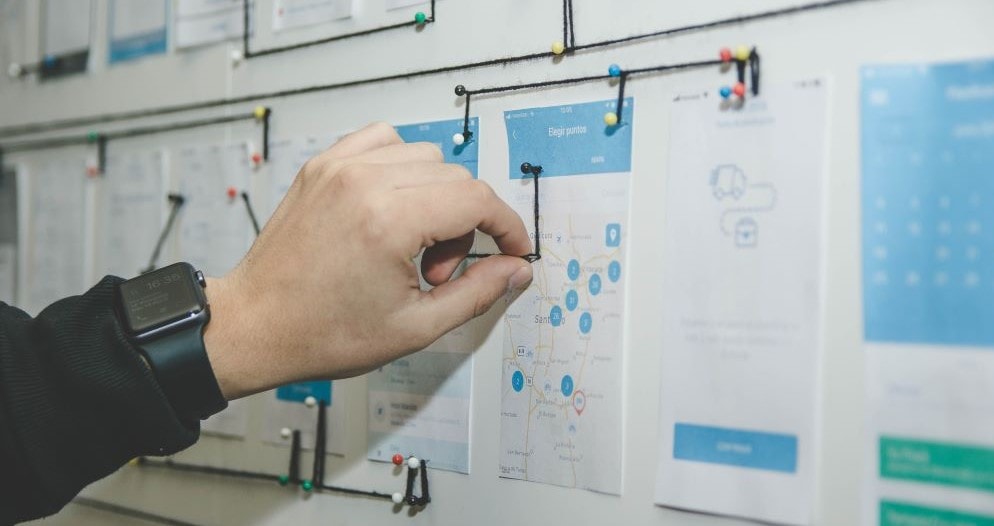
Project-based work: different methodologies
The methodology you choose has a major impact on the type of software you need. Some tools are designed for agile working, while others are better suited to structured planning. Acollab was designed to adapt to a wide range of use cases.
Some teams prefer an agile methodology because it provides greater flexibility and responsiveness. It allows them to adapt to customer expectations and requirements as the project progresses. This approach puts customer needs at the heart of the process.
Others use a more formal approach, such as the waterfall methodology, which is still widely used in businesses. This method involves breaking a project down into major phases and focusing on the deliverables to be completed. Each phase must be completed and approved before moving on to the next one.
So, why use project management software?
A structured approach to project management
Managing several projects simultaneously, with different deadlines, costs and resources, requires an overall view.
The right software allows you to:
- plan tasks accurately set milestones and anticipate delays
- assign clear responsibilities: who does what and when
- coordinate actions between different stakeholders to avoid gaps or overlapping work
Project-based work generally requires teams to stick to schedules and budgets, but that is not all. Project managers also need to monitor their team’s progress, set objectives and coordinate everyone involved to keep the project moving forward.
Whether a project lasts one month or three years, managers need a solution that makes project management, organization and communication easier.
Project management software
Using project management software has become essential for many businesses. It helps teams prioritize and plan tasks in order to meet deadlines. In short, it coordinates activities so that teams can achieve their objectives. It also helps prevent teams from simply reacting to problems by providing better organization and risk prevention.

The right software provides:
- project planning to avoid delays, resource shortages and, above all, dissatisfied customers. It gives managers the information they need to make informed decisions
- an overall view of all projects for better anticipation. Tasks may fall behind, deadlines may change and resources may be reassigned. A project management platform allows you to monitor projects on a daily basis and avoid unpleasant surprises
- better organization, resulting in improved time management and increased productivity
- better communication, allowing everyone involved to move forward, find information quickly and work from the same information
What are the main features of project management software?
Project management solutions vary, but most of them offer similar core features.

Task management and planning
This basic feature, found in most project management solutions, allows you to list all your tasks. You then need to organize this list by linking tasks together.
Some tasks are “predecessors” because they need to be completed before another task can begin. Others are “successors” that depend on previous tasks being completed.
Once these dependencies have been established, you can link your tasks and milestones to deadlines.
Breaking down and sequencing tasks are the foundations of your project.
You can then assign people to tasks and, with some solutions, use color codes to indicate urgency and priority.
Choose software that allows you to visualize your project using a Gantt chart and automatically identify overdue tasks. These features provide greater visibility and help you meet project deadlines, which is essential for the long-term success of a business.
Task management allows managers to plan projects precisely and anticipate unexpected issues. It provides a clear view of project progress.
For team members, it makes it clear what needs to be done and when. Everyone knows their action plan in advance, making it easier to complete their work on time.
Collaboration

Communication and collaboration are essential to moving a project forward. Choose a solution that allows you to add comments or files to individual tasks, for example.
All exchanges are centralized, giving everyone the same level of visibility and allowing team members to actively participate in the project. This creates greater transparency, including with customers, and supports better collaboration.
Team members can communicate and stay informed about project progress in real time.
This also helps break down information silos and make communication more fluid.
In short, project management software improves communication and encourages collaborative work, both of which are essential for successfully completing a project. Choose an online solution so everyone can access it from the office or from home.
Time tracking
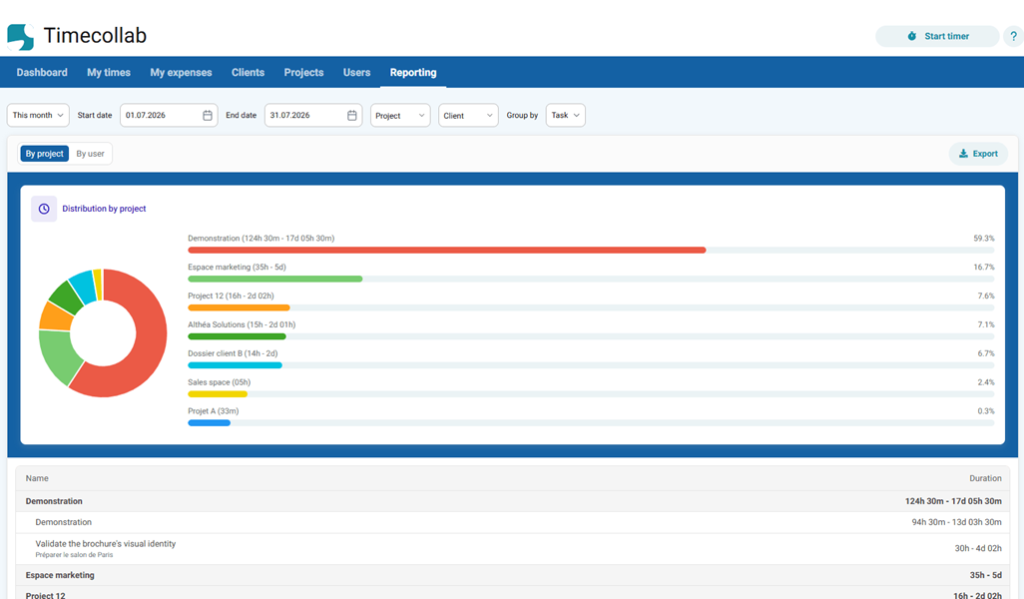
To understand your project’s profitability and anticipate potential delays, there is nothing better than combining project management software with a time tracking solution.
Enter the estimated time for your tasks and monitor their progress. As the project develops, this allows you to anticipate delays. For example, you may notice that a task is taking longer than expected.
At the end of the project, you will also have detailed statistics showing which tasks took longer than planned and helping you understand why.
This information can help you prepare for your next project by allocating additional resources or estimating project requirements more accurately.
You can also choose software that sends notifications when a new task is assigned, a comment is added or a new file is attached to a task.
It is also worth choosing a solution with a mobile app, so you can access project information and track progress while working remotely or on the move.
What are the benefits?
In addition to helping you manage complex projects and maintain control over your work, project management software offers several benefits.
Centralizing project information
With project management software, all project information (tasks, files, conversations and milestones) is brought together in one place. This helps:
- reduce information silos
- prevent multiple versions of the same document
- give everyone a clear view of progress, blockers and next steps
A project management solution therefore centralizes tasks, files, responsibilities and conversations in a single workspace.
Every project stakeholder has better visibility. With just a few clicks, they can see project progress and the associated comments.
Each person involved has a clear view of their upcoming tasks, as well as those assigned to other team members. This makes it easier to step back and understand the project as a whole.
Saving time

A project management solution can also help teams save time by:
- reducing unnecessary progress and synchronization meetings, since information is immediately visible and shareable
- reducing administrative tasks such as follow-ups and notifications
- reducing errors caused by oversights, duplicate work, poor resource allocation or missed deadlines
Improving productivity
- Project managers can quickly identify delays and bottlenecks and adjust resources or priorities accordingly.
- Team members know exactly what is expected of them, including deadlines and priorities. This means less uncertainty and fewer misunderstandings.
- By seeing how their work contributes to the overall project, team members can also feel more involved in the project.
So why use project management software? Productivity is one of the key reasons.
The right solution allows project managers to anticipate potential problems and optimize resource allocation. It also makes it easier to identify delays and tasks that are likely to take longer than expected.
This anticipation allows managers to take action before problems affect the project. Project managers maintain an overall view of their projects and can make more informed decisions. For team members, this also means greater autonomy and clearer responsibilities.

A stronger team spirit
A project management solution can contribute to better teamwork through:
- structured communication by task and project, so everyone knows where the project stands and what the current issues are
- faster feedback through task comments
- greater transparency, which can support trust between customers, partners and team members
Having the same level of visibility and access to project files and comments helps everyone feel involved in the project.
A shared workspace allows each person to contribute and enrich the project. As a result, the project can move forward more smoothly through effective teamwork. Project management software helps coordinate different activities and supports teams in delivering projects to the expected level of quality.
How do you choose project management software?
Once you understand why you need project management software, it is important to look at the solution itself.
- Deployment: first, choose between a SaaS solution that is accessible online, quick to deploy and available from anywhere, at the office, in a coworking space or at home, and an on-premise solution, depending on your technical and security requirements.
- Ease of adoption: software that is too complex can create resistance. Choose an intuitive interface such as Acollab, with features that are easy to understand from the start. Testing different solutions can help you find the one that best suits your needs and, above all, the one your team will actually use.
- Modularity and scalability: the solution should evolve with your needs by allowing you to add modules, users and projects as your business grows.
- Integrations: check compatibility with your existing tools, such as calendars, document management systems and messaging platforms, to avoid duplicate data entry and information loss.
- Total cost: remember to consider not only the software price, but also training, migration, licenses and other associated costs.
What is Acollab?
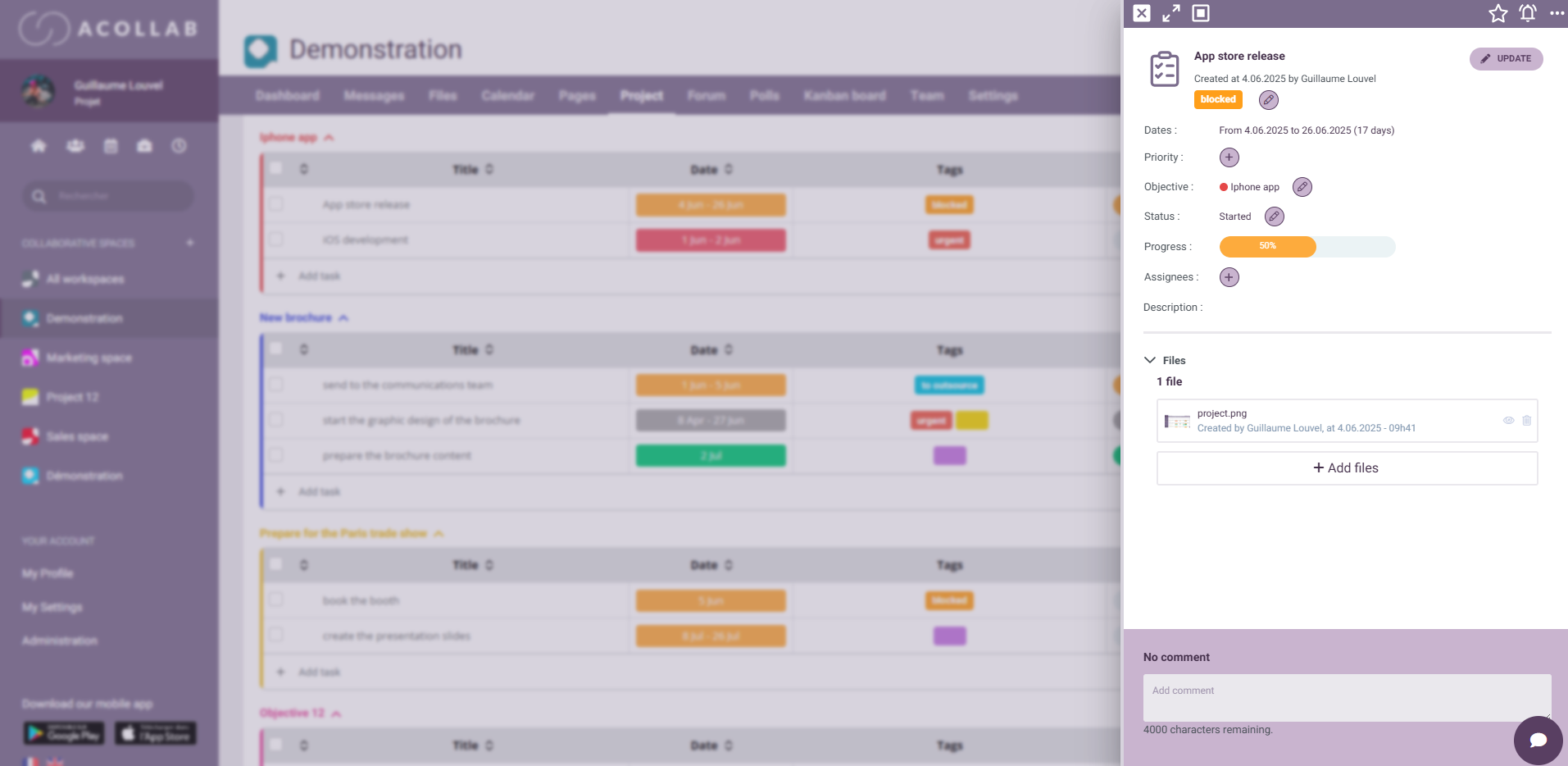
Acollab is much more than simple project management software. It is a complete collaborative platform designed for small and medium-sized businesses, associations and local authorities.
It offers:
- robust features including tasks, Gantt charts, Kanban boards, calendars, files, messaging and time tracking
- separate workspaces for each project, helping maintain a clear and secure organization
- the ability to invite external users such as customers and partners while controlling their access rights
- easy project duplication when workflows are similar from one project to another
- integrated communication through messages, chat, forums and a collaborative wiki
Acollab is an online collaborative platform developed by Akelio that makes project management easier.
It includes comprehensive project management features: task management, progress tracking, task assignments, automatic identification of overdue tasks, Gantt chart and Kanban board views, as well as the ability to add comments and files.
With separate collaborative workspaces, Acollab allows you to manage several projects from a single platform. Each shared workspace can correspond to a specific project.
You can also duplicate projects from one workspace to another, which saves time when your tasks and workflows are similar.
The platform also allows you to involve customers and partners in your projects. Unlike on-premise software, Acollab allows you to invite external stakeholders to participate in projects and give them the same level of visibility.
This helps teams stay organized and improve productivity.
Project management software, and much more
Acollab also includes other features organized by project: a shared calendar, a document management system, a collaborative wiki, collaborative messaging, time and expense tracking, chat, forums and surveys.
These features make project management much easier.
- The collaborative wiki allows you to write meeting minutes in real time or add project documentation.
- The shared calendar keeps track of key deadlines and meetings.
- Communication tools centralize all project-related conversations and make information easier to find. For example, collaborative messaging can be used to post and discuss important project information, while chat is useful for quick questions.
- Good communication is essential for effective project management.
- Document management allows you to centralize all your files and easily link them to a project.
- Time tracking connected to project management allows you to monitor project profitability and anticipate potential overruns.
- Detailed statistics show the time spent on each task, project and user.

Try the project management software
You can:
- enjoy a 30-day free trial with no commitment and no credit card required, for up to 5 users
- explore all the features and see whether the solution fits the way your team works
- request a personalized demonstration to ask questions, test your own scenarios and see how Acollab can adapt to your projects
FAQ about project management software
What is project management software?
Project management software is a digital solution that helps teams plan, organize, monitor and coordinate their work to achieve a defined objective.
It centralizes tasks, resources, deadlines, documents and communication around one or several projects.
What is the difference between project management software and a simple to-do list?
A to-do list is designed for individual or limited task management. Project management involves:
- assigning responsibilities
- planning task dependencies
- tracking deadlines
- managing resources
- monitoring project progress
It therefore provides a structured view of the project rather than simply a list of tasks to check off.
Why do businesses use project management software?
There are many benefits, including:
- better team coordination
- improved activity planning
- greater visibility into project progress
- fewer information losses
- earlier identification of potential problems
- improved productivity
It also helps prevent errors caused by information being spread across emails, messages and notes.
Does project management software replace meetings?
It does not completely replace meetings, but it can:
- reduce unnecessary meetings
- support asynchronous communication
- provide clear visibility before team meetings
The right software makes meetings more efficient and better prepared.
Is all project management software the same?
No. Project management solutions differ in terms of:
- usability
- features
- support
It is therefore important to choose a solution that fits your team’s needs and working methods.
Who can use project management software?
Project management software can be used by:
- internal teams such as product, marketing and support
- small businesses
- agencies and consultants
- multi-site or hybrid teams
- startups
- local authorities
In short, it can be useful for any organization managing structured activities with deliverables and deadlines.
Is project management software useful for small teams?
Yes. Even for a small team, project management software can help:
- prevent duplicate work
- clarify priorities
- track responsibilities
- keep everyone aligned
What are the risks of not using project management software?
Without a structured solution, businesses may face:
- scattered information
- reduced visibility
- delays that are not identified early enough
- poor coordination
- an overload of emails
The right solution helps reduce these risks and makes work easier to organize and understand.
Can project management software support remote work?
Yes. Modern solutions should be:
- accessible online
- synchronized in real time
- available on mobile devices
These are essential features for hybrid and remote teams.