
Time and expense tracking
Time tracking software
The Acollab collaborative platform includes a dedicated time tracking tool, TimeCollab, which allows you to track the time spent on all your projects and activities on a daily basis.
This tool is particularly suited to teams working on projects and helps you answer key questions such as:
- How much time does a team spend on a specific project?
- What is the actual cost of a project?
Time tracking features
Track time spent
Each team member can record the time spent on a project or task on a daily or weekly basis.
A built-in timer allows users to record time in real time while working on a task.
Track project expenses
TimeCollab also allows each team member to assign an expense to a project or task.
For service companies, it is possible to distinguish between billable and non-billable expenses, making it easier to monitor project costs and prepare accurate reports.
Integrated with the Acollab collaborative platform
TimeCollab is fully integrated with Acollab’s project management features. Time spent and expenses are directly linked to the projects and tasks created within your collaborative workspaces.
Manage projects based on time or fixed-price billing
For each billable project, you can specify whether the project is billed based on time and materials or at a fixed price.
This feature makes it easier to assess project profitability by comparing actual costs with revenue.
Manage team members
For each project member, you can define their daily working hours, billable hours, overtime and hourly rate.
This allows you to take individual working arrangements into account when analyzing project costs and profitability.
Would you like to try the time tracking tool ?
Detailed and customizable reports
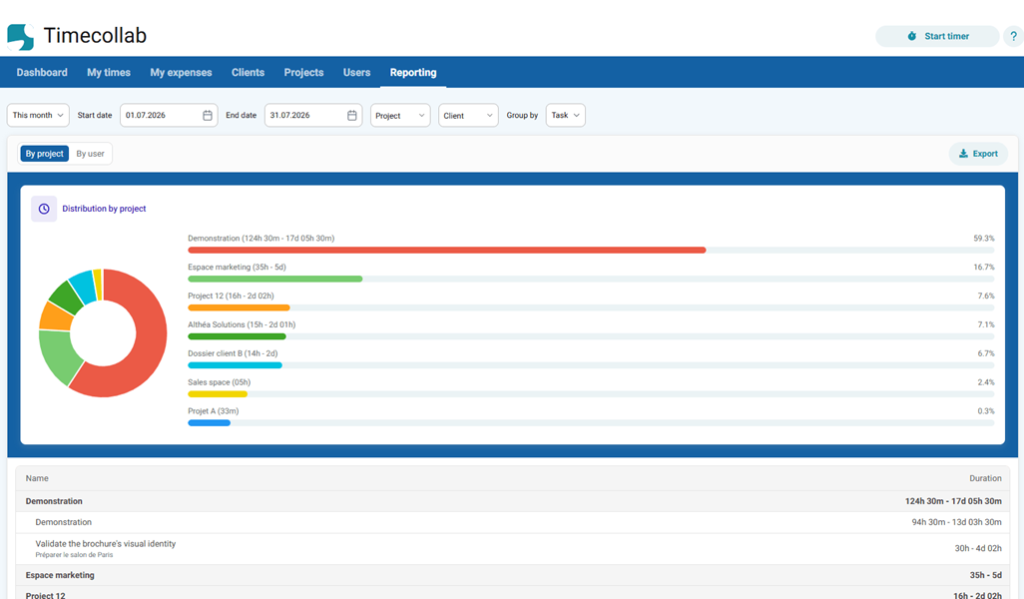
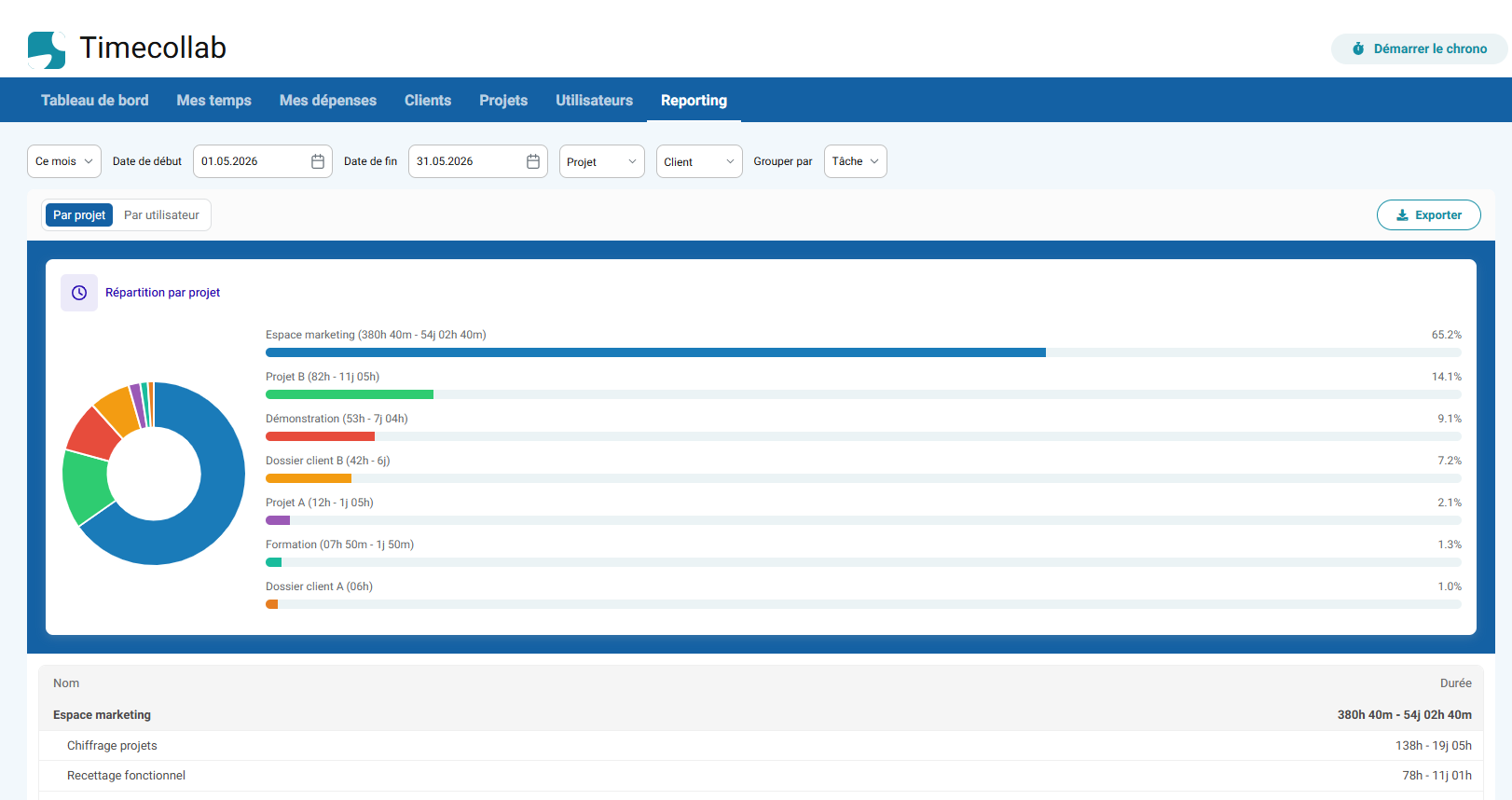
TimeCollab provides several dashboards and reports to help you monitor time and expenses.
For example, you can view:
- Weekly, monthly and yearly working hours for each team member
- Time and expense details by project, user or task
- Monthly time totals for a project
- Annual project time summaries
- Time spent on projects over a period of your choice, such as the current week, last 7 days, current month, last 30 days, current year, previous year or a custom period.
- Time spent by each team member over a selected period.
And much more.
These reports provide a clear overview of your projects and help you identify differences between estimated and actual time, monitor costs and improve project management.
The ideal time tracking tool for service companies
From IT services companies, web agencies, consulting firms, communication agencies, to architectural firms, law firms, small to large service companies… if your activity is organized by projects, it is important for you to follow the time spent by each employee on the different projects you manage.
The integration of the Acollab collaborative platform and its Timecollab time management tool allows for simple, frictionless and efficient project management.
Why use Acollab's time tracking tool?
There are several reasons to use time tracking with Acollab:
- Assess the profitability of your projects, whether they are billed based on time or at a fixed price.
- Make service invoicing easier and more accurate.
- Better distribute workloads among team members.
- Create detailed activity reports.
- Compare estimated time with actual time spent.
- Identify projects or tasks that consume more resources than expected.
Use cases
Web agency: track the profitability of every project
A web agency manages several client projects at the same time. With time and expense tracking:
- each team member records their hours by task
- expenses such as freelancers, software tools or travel costs are assigned to the relevant project
- the project manager compares the planned budget with actual costs.
The result is a clear view of project profitability and more accurate estimates for future clients.
Consulting firm: bill based on time spent
For a business that bills clients based on time spent:
- consultants record their time on a daily basis
- working hours are automatically consolidated by client
- reports can be used to support and justify invoices
The result is reliable, transparent and easily documented billing.
FAQ
What is a time tracking tool used for?
A time tracking tool allows you to record the hours spent on each task or project. This data can then be used to analyze productivity, project costs and profitability.
Is time tracking suitable for small teams?
Absolutely. Small businesses, SMEs and freelancers can use time tracking to monitor their activity, improve project organization and better understand how their time is being used.
Can time and expense data be exported?
Yes. Time and expense data can be exported to Excel, making it easier to analyze the information or use it for invoicing.